5 Best AI Logo Makers in 2026 (Compared)
Disclosure: Some links earn us a commission at no extra cost to you. Rankings are independent — tools cannot pay for placement.
A practical comparison of the best AI logo makers in 2026, covering design quality, customization options, brand kit features, and file format exports.
Our Top Picks

Looka
Freemium
AI logo maker with full brand kit; logos, business cards, social assets
- AI logo generation based on style and industry preferences
- Interactive brand preference discovery wizard
- Real-time logo editor with font, color, and layout customization

Brandmark
Paid
AI logo design with color palettes, fonts, and brand identity mockups
- AI logo generation from business name and description
- Coordinated color palette generation
- Typography pairing and font recommendations

Canva
Freemium
All-in-one visual design platform with AI-powered creative tools
- Drag-and-drop visual editor with 250,000+ templates
- Magic Studio AI suite (text-to-image, Magic Eraser, Magic Expand)
- Background Remover for instant subject isolation
Designify
Freemium
Automated product photo enhancement with smart backgrounds and shadows
- Automatic background removal with scene replacement
- Smart Templates for consistent product image styling
- AI-generated realistic shadows and reflections

Hotpot.ai
Freemium
AI design toolkit with art generation, mockups, and photo editing
- AI art generator with multiple style options
- Background remover for photos and product images
- Photo colorizer for black-and-white images
Why AI Logo Makers Are Good Enough for Most Businesses
Professional logo design from an agency typically costs $2,000-$10,000 and takes weeks. AI logo makers produce credible results in minutes for under $100. For startups, side projects, small businesses, and anyone who needs a professional visual identity without a design budget, these tools close the gap well. The outputs won't win design awards, but they are polished enough for websites, business cards, social media, and product packaging.
The key is understanding what AI logo makers do well (clean, professional designs in established styles) and where they fall short (truly original concepts, complex symbolism, and designs that need to work across unusual applications like embroidery or engraving).
Top Picks
Looka delivers the most complete brand identity experience. Answer questions about your business, pick styles you like, and it generates dozens of logo options along with a full brand kit including business cards, social media assets, and brand guidelines. The logos are clean and professional, and the customization editor is intuitive. Logo packages start at $20 for basic files, with full brand kits at $96.
Brandmark produces the most distinctive and creative AI-generated logos. Its algorithm tends toward bolder, more design-forward options compared to the safer choices from other tools. The color palette and typography suggestions are thoughtful, and the instant mockup previews show your logo on business cards, signage, and merchandise. Pricing starts at $25 for basic files.
Canva leverages its massive template and asset library to offer logo creation within its broader design platform. While less specialized than dedicated logo makers, the flexibility of Canva's editor and the access to millions of design elements mean you can create and iterate quickly. The free tier covers basic logo creation; Pro unlocks more assets and transparent backgrounds.
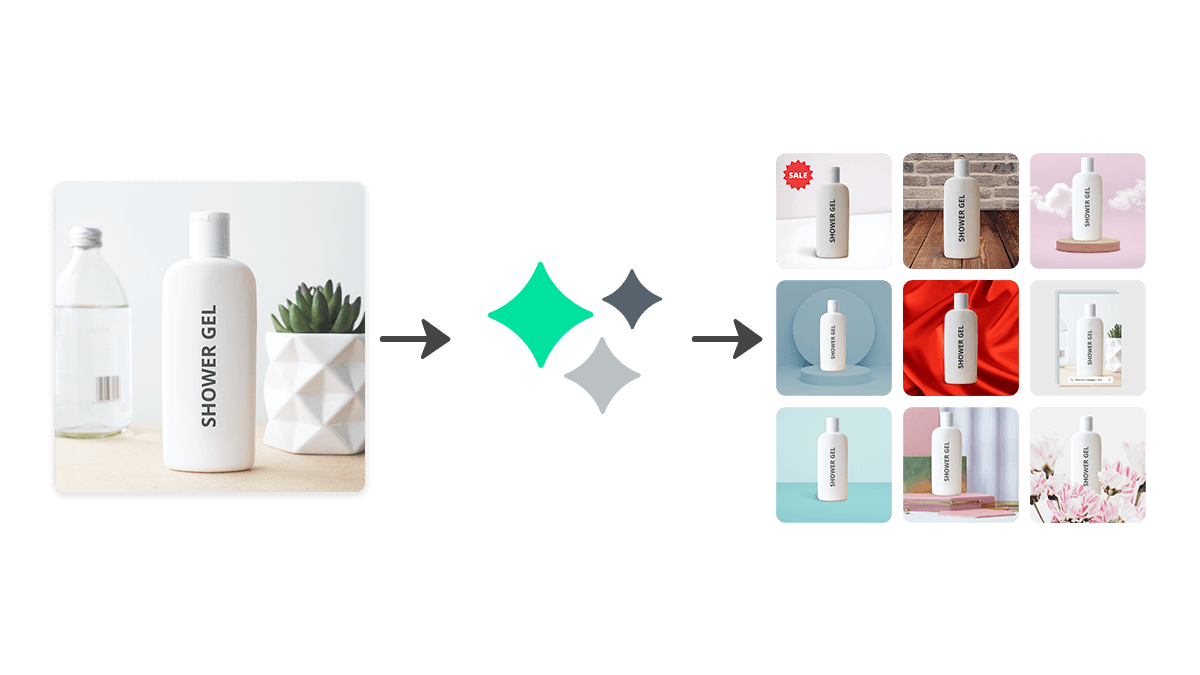
Designify takes a different approach, focusing on background removal and product image enhancement with AI. While not a traditional logo maker, its ability to create professional product visuals and marketing assets makes it valuable for e-commerce brands that need clean visual branding across their product catalog.
Hotpot AI combines AI image generation with design templates to create logos and brand visuals. Its AI art generator can produce unique illustrations and icons that serve as logo elements, giving you more creative starting points than template-only tools. The free tier is generous for experimentation.
How We Chose
We created logos for five fictional businesses across different industries using each platform. We evaluated design quality, variety of options generated, customization depth, file format availability (SVG, PNG, PDF), and overall brand kit completeness.
FAQ
See our detailed answers below for the most common questions about AI logo makers.
Frequently Asked Questions
Are AI-generated logos copyrightable?
This is a developing legal area. In most jurisdictions, purely AI-generated artwork is not copyrightable because copyright requires human authorship. However, AI logo makers typically use AI to assist your design choices rather than generate entirely autonomously, which may preserve copyright eligibility. The commercial use rights granted by each platform are separate from copyright and are clearly defined in their terms of service.
Should I use an AI logo maker or hire a designer?
Use an AI logo maker if you need a professional logo quickly and affordably — for a startup MVP, personal project, or small business. Hire a designer if your brand identity is a critical competitive differentiator, you need a truly unique concept, or you require a comprehensive brand system that extends beyond a logo.
Can I get vector files (SVG) from AI logo makers?
Yes, Looka and Brandmark both provide SVG and EPS vector files on their paid plans. Vector files are essential for printing at any size without quality loss. Canva Pro also exports to SVG. Free tiers typically only provide PNG files.
Disclosure: Some links on this page may be affiliate links. We may earn a commission if you make a purchase through these links, at no additional cost to you.