Create a YouTube Video Script with AI
Write a complete YouTube video script in under 30 minutes with AI. Covers topic research, hook writing, full script, thumbnail ideas, and editing notes for any niche.
Tools You'll Need
- 1
Research Your Topic and Angle
Before writing a single word of script, validate your topic has an audience and find an angle that hasn't been beaten to death.
I want to make a YouTube video about [your topic, e.g., "how to start a dropshipping business in 2026"].

Help me validate and sharpen this topic:

1. **Search Volume Check**: What related queries are people typing into YouTube? List the top 10 related search terms.
2. **Competition Scan**: What are the top 5 existing YouTube videos on this topic? For each: title, channel, view count, publish date, and what angle they took.
3. **Gap Analysis**: What angles are MISSING? What are viewers asking in the comments that aren't answered?
4. **Angle Recommendation**: Suggest 3 unique angles:
   - A contrarian take
   - A personal/story-driven angle
   - A data/research angle
5. **Suggested Title Options**: 5 titles optimized for CTR, under 60 characters each.
Tip: Check YouTube's autocomplete for your topic. Those suggestions represent real search demand.
- 2
Write a Killer Hook (First 30 Seconds)
YouTube's algorithm cares most about Average View Duration. The hook determines whether someone watches or clicks away.
I'm making a YouTube video titled: [your chosen title].
Target viewer: [description].
Key value: [what they'll learn].

Write 5 different hooks for the first 30 seconds, each using a different technique:

1. **Bold Claim**: Open with a surprising statement or statistic.
2. **Story Open**: Start mid-action in a personal story.
3. **Problem Agitation**: Call out the viewer's pain point directly.
4. **Curiosity Gap**: Reveal partial information that creates need to keep watching.
5. **Preview Payoff**: Show the end result first, then promise to show how.

For each: write the EXACT words (under 100 words), include a transition sentence, and add a [B-ROLL NOTE].
Tip: Film yourself reading each hook. The one that feels most natural AND engaging is your winner.
- 3
Build Your Script Outline
Create the skeleton of your video with clear sections, transitions, and visual cues that keep viewers watching.
I'm scripting a YouTube video:
- Title: [your title]
- Target length: [e.g., 8-12 minutes]
- Style: [talking head / tutorial / listicle]
- Hook: [paste chosen hook]

Create a detailed outline:

1. **Hook + Context** (0:00-0:45): Hook + why this matters
2. **Main Content** (3-5 sections): For each — key insight, supporting evidence, [VISUAL CUE], transition to next
3. **Retention elements**: Mark [PATTERN INTERRUPT] at ~2min, ~5min, ~8min. Mark [OPEN LOOP] teasers. Mark 1-2 [ENGAGEMENT PROMPT] points.
4. **Summary + CTA** (final 60s): Recap, call-to-action, end screen.

Also: estimated runtime at 150 WPM, 3 chapter timestamps, 2 pinned comment ideas.
Tip: The ideal YouTube video has a 'peak' every 2-3 minutes — a new insight, visual change, story beat, or surprising fact.
- 4
Write the Full Script
Expand your outline into a word-for-word script optimized for spoken delivery.
Expand this outline into a full video script:

[Paste outline from Step 3]

Rules:
- Write like I TALK. Contractions, short sentences, fragments when they hit harder.
- 6th-8th grade reading level. Simple words always.
- Vary sentence length dramatically for rhythm.
- Bold key phrases I should emphasize.
- Mark sections: [SECTION 1: HOOK - 0:00]
- Include [B-ROLL], [GRAPHIC], [CUT TO], [PAUSE] cues.
- Every claim needs proof (stat, example, or experience).
- End each section with a transition teasing the next point.
- No cliches: no "game-changer," no "without further ado," no "let's dive in."

Output: total word count, estimated runtime at 150 WPM, YouTube description with timestamps and 3 hashtags.
Tip: Read the script aloud twice before recording. Mark any sentence where you stumble — those need rewriting.
- 5
Generate Thumbnail Concepts and Editing Notes
Create thumbnail concepts that drive clicks and editing notes that save hours in post-production.
For my YouTube video titled [your title]:

**THUMBNAILS — Design 3 concepts:**
For each: visual description, text overlay (max 4 words), color scheme, and why it'll stand out. Use these styles:
1. Big emotion face + 3 words (Mr. Beast formula)
2. Curiosity gap visual (image that raises a question)
3. Data/proof visual (number or result that proves your claim)

**EDITING NOTES:**
1. B-roll list: every clip needed with description, duration, and source (film / screen record / stock)
2. Graphics: lower thirds, stat callouts, section titles
3. Audio: background music mood per section, sound effects, where to cut music for impact
4. Upload optimization: best publish time, first pinned comment, 3 social media post templates to promote
Tip: Use Canva's YouTube thumbnail template (1280x720). If editing in Descript, paste your script into the timeline — it auto-syncs with spoken words, cutting editing time by 50%.
 Canva
Canva Recommended Tools for This Scenario

ChatGPT
Freemium
The AI assistant that started the generative AI revolution
- GPT-4o multimodal model with text, vision, and audio
- DALL-E 3 image generation
- Code Interpreter for data analysis and visualization

Claude
Freemium
Anthropic's AI assistant built for thoughtful analysis and safe, nuanced conversations
- 200K token context window for massive document processing
- Artifacts — interactive side-panel for code, docs, and visualizations
- Projects with persistent context and custom instructions

Perplexity
Freemium
AI-powered search engine that answers questions with cited sources
- Real-time web search with inline source citations
- Pro Search multi-step deep research automation
- Multiple model options (Sonar, GPT-4o, Claude)
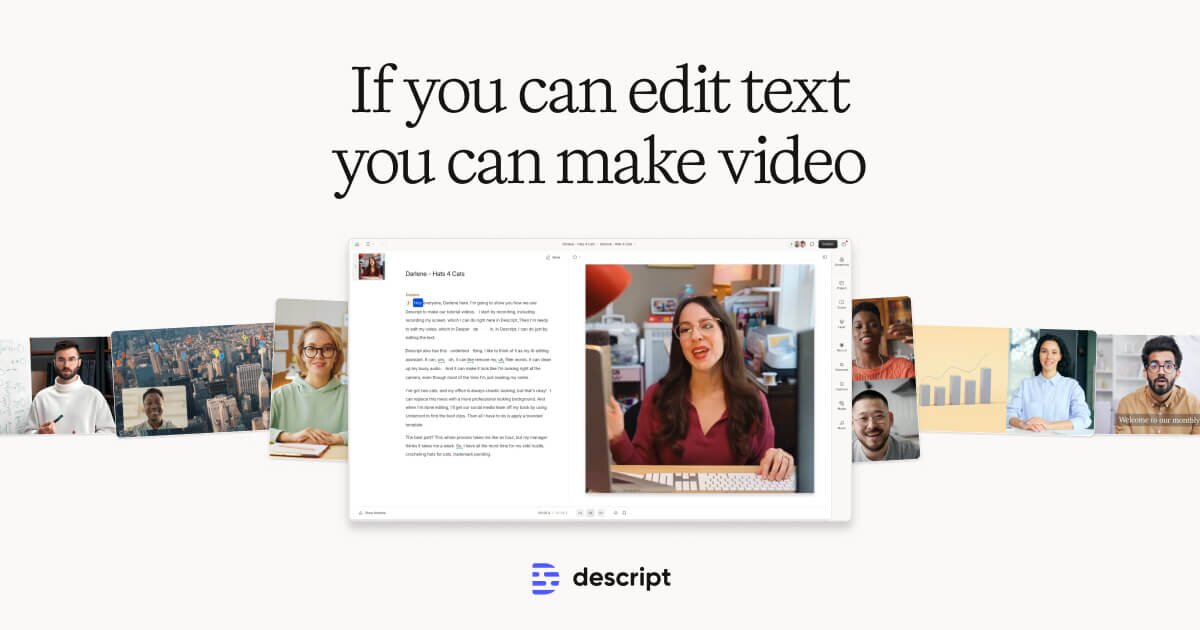
Descript
Freemium
Edit video by editing text — transcript-based video and podcast editor
- Transcript-based video and audio editing
- Automatic filler word detection and removal
- AI eye contact correction for webcam footage