Set Up AI Customer Support for Your Business
Build an AI-powered customer support system that handles 60-80% of incoming inquiries automatically -- FAQs, order status, troubleshooting, returns processing, and appointment scheduling -- while routing complex issues to human agents with full context. You don't need a developer or a six-month implementation. Modern AI support tools let you import your existing help docs, train on your FAQ, and go live in a day. Your customers get instant answers at 3 AM; your support team stops answering the same question for the 200th time.
Tools You'll Need

- 1
Audit Your Support Tickets and Build a Knowledge Base
Before setting up any AI, understand what your customers actually ask. Analyze your existing support data to identify the questions AI can handle and the ones that need humans.
Help me analyze my customer support needs and build a knowledge base for AI automation.

My business: [describe what you sell/offer]
Current support channels: [email / live chat / phone / social media DMs / help center]
Approximate monthly support volume: [e.g., 50 tickets / 500 / 5,000]
Current team size for support: [e.g., just me / 2 people / 10-person team]
Biggest support pain points: [e.g., response times too slow, same questions over and over, after-hours coverage, scaling with growth]

Here are my most common support questions (list your top 20, or paste a sample of recent tickets):
[Paste 20-30 recent support questions/tickets, anonymized]

1. **Ticket Categorization**:
   Sort these into categories:
   - Auto-answerable (AI can handle with a knowledge base article): [list]
   - Semi-automated (AI can start the resolution, human confirms): [list]
   - Human-required (complex, emotional, or high-stakes): [list]
   Estimate what percentage of total volume each category represents.

2. **Knowledge Base Articles** (for the auto-answerable category):
   For each common question, write a clear, complete answer:
   - Question (as the customer would phrase it, including common variations)
   - Answer (concise, step-by-step if applicable, with links to relevant pages)
   - Tone: [helpful and warm / professional and efficient / match my brand voice: describe it]
   Write answers that feel like a helpful person, not a FAQ page from 2010.

3. **Conversation Flows**:
   For semi-automated queries, map the decision tree:
   - Customer says: [trigger phrase]
   - AI asks: [clarifying question]
   - Based on answer, AI either: resolves it / escalates to human with context
   Map 5 of the most common flows.

4. **Escalation Rules**:
   Define when AI should NEVER attempt to answer and immediately route to a human:
   - [e.g., billing disputes over $X, legal threats, complaints mentioning social media/lawyers, frustrated repeat contacts, VIP customers]

5. **Tone and Personality Guide**:
   Define the AI agent's personality:
   - Name: [e.g., 'Support Bot' / a human-sounding name / your brand name + 'Assistant']
   - Greeting style: [example]
   - How to handle angry customers: [example response]
   - What to say when it doesn't know the answer: [example response]
   - Closing message: [example]
Tip: Export your last 100 support tickets and paste them into Claude or ChatGPT for analysis. AI can categorize them, find patterns, and identify the top 10 questions that account for 50%+ of your volume in minutes. Those 10 questions are your automation priority — solve them first and you've already halved your support load.
- 2
Set Up Your AI Support Tool
Choose and configure your AI customer support platform. The setup process is similar across most tools: import knowledge, configure the bot, set up routing rules, and test.
Help me set up my AI customer support tool. I'm using [tool name, e.g., Intercom / Tidio / Zendesk / Freshdesk / custom chatbot].

Guide me through:

1. **Knowledge Base Import**:
   I have these existing resources:
   - Help center articles: [number, URL if applicable]
   - FAQ page: [URL]
   - Product documentation: [URL or location]
   - Past support transcripts: [how many, what format]

   What's the best way to feed these to my AI tool? What format does it need? Any content I should clean up or restructure first?

2. **Bot Configuration**:
   - Welcome message for first-time visitors: [write 2 options]
   - Welcome message for returning customers: [write 2 options]
   - Quick-reply buttons to show initially: [suggest 5-6 common categories based on my earlier analysis]
   - Out-of-hours message: [write a version that sets expectations]
   - Language: [primary language, and any secondary languages needed]

3. **Channel Setup**:
   I want AI support on:
   - [ ] Website chat widget
   - [ ] Email auto-responder
   - [ ] WhatsApp
   - [ ] Facebook Messenger
   - [ ] Instagram DMs
   For each selected channel, what's the setup process and are there any limitations?

4. **Handoff Configuration**:
   When the AI can't answer or the customer asks for a human:
   - What information should the AI collect before handoff? (name, email, order number, issue summary)
   - How should the handoff work? (warm transfer with context, create a ticket for follow-up, live connect to available agent)
   - What hours are human agents available? [your business hours]
   - After-hours handoff: create a ticket + promise response time, or something else?

5. **Testing Plan**:
   Give me 15 test conversations to run through the bot before going live:
   - 5 common questions it should handle perfectly
   - 5 edge cases that should trigger escalation
   - 5 adversarial inputs (confused customer, angry customer, off-topic question, someone trying to hack the bot, non-English message)
Tip: Don't launch to 100% of traffic on day one. Start with 10-20% (most chat tools support this). Monitor the first 50-100 conversations manually, identify where the bot fails or gives wrong answers, fix the knowledge base, and then gradually increase coverage. A bad first impression from a broken bot is worse than no bot at all.
- 3
Write AI Response Templates for Tricky Situations
Pre-write how your AI handles the situations that go wrong most often: angry customers, refund requests, complaints, and the awkward 'I don't know' moments.
Write AI customer support response templates for these tricky scenarios. Each response should match my brand voice: [describe your brand voice, e.g., 'warm and human, slightly informal, empathetic but efficient']. Scenario 1 — **Angry Customer** (just received a damaged product): - Acknowledge the frustration (without sounding scripted) - Apologize genuinely - Offer an immediate solution - Version A: When we can resolve it instantly (replacement/refund) - Version B: When it needs human investigation Scenario 2 — **Refund Request**: - Customer wants a refund within policy - Customer wants a refund outside policy - Customer insists on a refund after being told they're outside policy Scenario 3 — **AI Doesn't Know the Answer**: - Honest admission + route to human help - Offer alternatives (check help center, leave a message) - NEVER make up an answer or guess Scenario 4 — **Complaint About the AI Bot Itself**: - Customer says 'I want to talk to a real person' - Customer is frustrated with the bot ('you're useless') - Customer asks 'are you a robot?' Scenario 5 — **Upsell/Cross-sell Opportunity** (use carefully): - Customer asks about a feature they don't have but exists in a higher plan - Customer's problem would be solved by a product they don't own - When to recommend vs. when NOT to sell Scenario 6 — **Multiple Issues in One Message**: - Customer writes a long message with 3 different problems - How to address each one without losing track For each response: - Keep it under 3 paragraphs - Sound like a person, not a policy document - Include specific next steps (not 'we'll look into it') - When appropriate, include a small gesture of goodwill (discount code, free shipping, extended trial)Tip: The moment a customer says 'I want to talk to a real person,' transfer them immediately. Don't make them repeat why, don't try to solve it first, don't ask 'can I try to help first?' This is the fastest way to turn mild frustration into rage. Transfer instantly, with full context so they don't have to repeat themselves.
- 4
Create Internal Canned Responses for Human Agents
When AI escalates to a human, give your team pre-written responses for the most common scenarios so they can respond faster and more consistently.
Create a library of canned responses for my human support team. These are templates agents can personalize quickly when they take over from the AI. For each template: - Include [PLACEHOLDER] fields for personalization - Keep under 100 words (customers don't read novels in chat) - Sound human, not robotic (use contractions, natural phrasing) - Include a clear next step or resolution Templates needed: 1. **Taking Over from AI**: 'Hi [NAME], I'm [AGENT], a real person. I've read your conversation with our assistant. Let me help you with [ISSUE]...' 2. **Need More Information**: Asking for order number, screenshot, account details (without sounding like a form) 3. **Issue Resolved**: Confirming the fix with a warm close 4. **Issue Needs Investigation**: Setting expectations for timeline without being vague ('we'll look into it' → 'I'm checking with our shipping team and will email you by [TIME]') 5. **Apology for Delay**: When response time was too long 6. **Policy Exception**: When you're bending the rules for a customer (make them feel special, not like they complained their way to a deal) 7. **Saying No Gracefully**: When you genuinely can't do what they want 8. **Repeat Contact**: When a customer is contacting about the same issue again (acknowledge the frustration of having to reach out again) 9. **Technical Issue Being Investigated**: When there's a bug or system issue affecting the customer 10. **Follow-Up Check-In**: Proactive message 24-48 hours after resolution ('Just checking — is everything working properly now?') Also create: - A cheat sheet of 10 empathy phrases agents can sprinkle in naturally - 5 ways to say 'I don't know' that don't erode confidence - 3 ways to de-escalate an angry customer in the first sentenceTip: The best support teams personalize every response, even when using templates. Train agents to change at least 2-3 phrases in every template before sending. The customer should never feel like they got a copy-paste response. The template is a starting point — the agent's personal touch is what makes it good support.
- 5
Measure Performance and Continuously Improve
Set up metrics to track how well your AI support is performing, identify failure points, and improve the system weekly. Without measurement, you're flying blind.
Help me set up a performance tracking system for my AI customer support.

1. **Key Metrics to Track** (define these for me with benchmarks):

   AI Performance:
   - Containment rate: % of conversations fully handled by AI without human intervention (target: [suggest benchmark for my business type])
   - Resolution rate: % of AI-handled conversations where the customer's issue was actually resolved
   - Escalation rate: % of conversations handed to humans (and the top reasons why)
   - False resolution rate: % where AI marked as resolved but customer came back about the same issue
   - Average response time (AI vs human)

   Customer Satisfaction:
   - CSAT score for AI-handled vs. human-handled conversations
   - NPS trend (is it improving or declining since adding AI?)
   - Abandonment rate: % who leave mid-conversation without resolution
   - Repeat contact rate: % who contact again within 48 hours about the same issue

   Business Impact:
   - Cost per resolution (AI vs human)
   - Average handle time (AI vs human)
   - After-hours coverage: % of off-hours inquiries resolved by AI
   - Agent satisfaction: are human agents happier now that routine questions are filtered?

2. **Weekly Review Checklist** (15 minutes):
   - Review the top 10 conversations where AI failed (wrong answer, confusion, bad handoff)
   - Identify new questions AI doesn't have answers for (update knowledge base)
   - Check CSAT scores for AI vs human — any concerning trends?
   - One improvement to make this week

3. **Monthly Report Template**:
   Metrics overview with trend arrows
   Top failure categories
   Knowledge base additions made
   Customer feedback highlights
   Next month's improvement plan

4. **Improvement Playbook**:
   When containment rate is low → [what to do]
   When CSAT is low for AI conversations → [what to do]
   When escalation rate is high → [what to do]
   When customers complain about the bot → [what to do]

5. **AI Training Schedule**:
   How often should I update the AI's knowledge base? What triggers an update vs. a scheduled review?
Tip: Read 10 AI-handled conversations per week yourself. Metrics tell you what's happening; reading actual conversations tells you why. You'll spot tone issues, missed opportunities to delight customers, and knowledge gaps that metrics alone won't reveal. This 20-minute weekly habit is the single highest-ROI activity for improving your AI support.
 Claude
  Notion AI
 Recommended Tools for This Scenario

Intercom
Freemium
AI-first customer messaging platform with autonomous support agent Fin
- Fin AI Agent resolving up to 50% of support queries autonomously
- AI Copilot suggesting responses and summarizing conversations for agents
- Proactive in-app messaging with product tours and tooltips
Tidio
Freemium
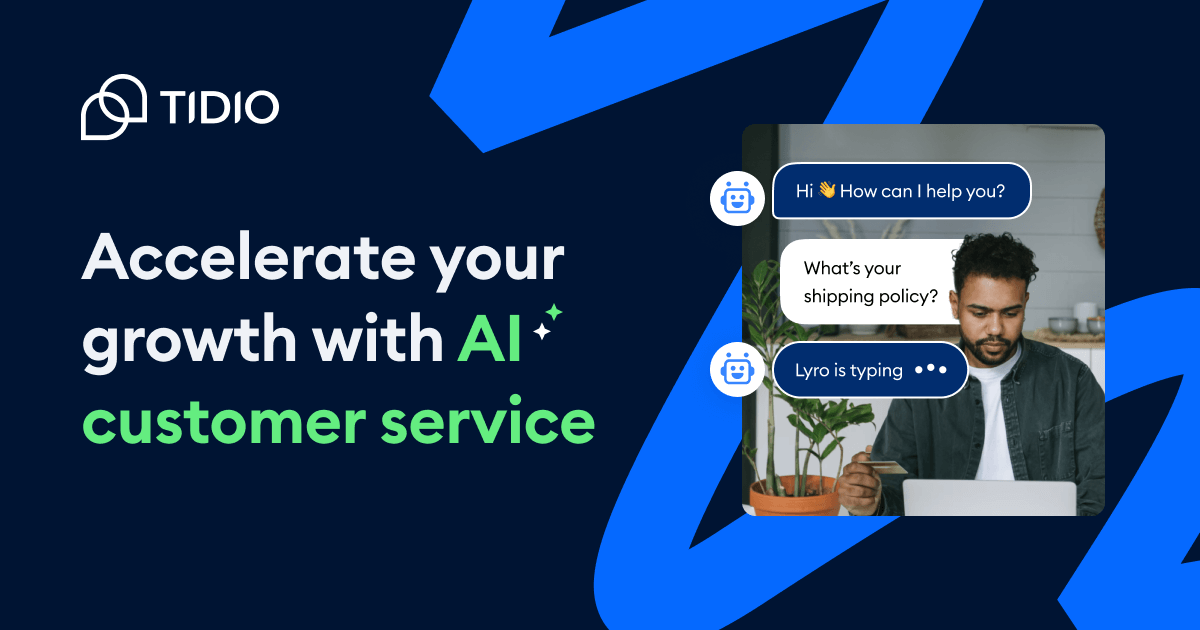
AI chatbot Lyro for websites with automated support, lead capture, and live chat
- Lyro AI chatbot learning from your support content
- Visual chatbot builder for rule-based automation
- Live chat widget with visitor tracking and typing indicators

ChatGPT
Freemium
The AI assistant that started the generative AI revolution
- GPT-4o multimodal model with text, vision, and audio
- DALL-E 3 image generation
- Code Interpreter for data analysis and visualization
Botpress
Freemium
AI-native chatbot builder combining visual flows with LLM autonomy
- Visual conversation flow editor with drag-and-drop logic
- Autonomous node for LLM-driven open-ended conversations
- Knowledge bases with document upload for RAG-powered answers