Optimize Your LinkedIn Profile with AI
A weak LinkedIn profile doesn't just fail to attract opportunities — it actively hurts you when recruiters look you up after you've applied elsewhere. This workflow uses AI to rewrite every section of your profile to speak directly to the roles you want, improve your search ranking for the right keywords, and present you as a credible, compelling candidate rather than someone who just has a profile because they're supposed to.
Tools You'll Need
MCP Servers for This Scenario
Browse all MCP servers →- 1
Define Your Profile Strategy
Before rewriting anything, decide who this profile is for and what it should make them do. A LinkedIn profile isn't a biography — it's targeted marketing.
I want to optimize my LinkedIn profile to attract the right opportunities. Help me define a clear strategy before I start rewriting anything.

My current situation:
- Current role/title: [e.g., Marketing Analyst at a mid-sized e-commerce company]
- Years of experience: [e.g., 5 years]
- Target roles I want: [e.g., Senior Growth Marketer, Head of Growth, Growth Lead]
- Target companies: [e.g., B2B SaaS startups with 50-500 employees, Series A-C]
- Why I'm optimizing now: [e.g., open to new roles, building my personal brand, growing my network in a new industry]

Help me with:

1. **Target audience analysis**: Who is the primary person I want to attract — an in-house recruiter, a hiring manager, a headhunter, or a peer? What are they searching for, and what do they need to see in the first 10 seconds to keep reading?

2. **Keyword strategy**: Give me 12-15 keywords I should incorporate throughout my profile to show up in recruiter searches for my target roles. Include: job titles, skills, tools/platforms, methodologies, and industry terms. Explain why each keyword matters for my target.

3. **Positioning statement**: In one sentence, what is my unique value proposition as a candidate? This will anchor the tone and focus of every section. E.g., 'A growth marketer who specializes in turning content into measurable pipeline for B2B SaaS companies.'

4. **Gap analysis**: Based on my target roles, what's likely missing from my current profile that I need to add? What should I remove or de-emphasize?

5. **Priority order**: Which sections of my LinkedIn profile have the most impact on recruiter behavior? Rank them so I know where to spend my time.
Tip: You cannot optimize for everything. A profile that's trying to appeal to startups, Fortune 500s, and freelance clients simultaneously will appeal to none of them. Pick your primary target and write for that person specifically. You can always update the profile for a different search later.
- 2
Rewrite Your Headline and About Section
Your headline and About section are the two most-viewed parts of your profile. They need to immediately communicate who you are, who you help, and what makes you worth reaching out to.
Rewrite my LinkedIn headline and About section based on this strategy:

My positioning statement: [from Step 1]
Target role: [target job title]
Top 3 keywords to include: [from Step 1]
My strongest accomplishment in the last 3 years: [describe a specific achievement with numbers if possible]
My top 3 professional skills or areas of expertise: [list them]

Current headline: [your current headline]
Current About section: [paste your current About section, or write a rough version]

**Headline requirements:**
Write 5 headline options. Each must:
- Be under 220 characters (LinkedIn's limit)
- Include the target job title or a variation of it
- Include 1-2 skills or specializations
- Not use cliches: 'results-driven,' 'passionate,' 'dynamic,' 'thought leader,' 'guru,' 'ninja'
- Give a reason to click through — what value do you deliver?
Example of bad: 'Marketing Professional | Passionate About Growth'
Example of good: 'Growth Marketer | B2B SaaS | Turned $200K in content spend into $2.4M pipeline at [Company]'

**About section requirements:**
- 3-5 short paragraphs, total 200-300 words
- Written in first person, conversational but professional
- Opening line: NOT 'I am a...' — start with a statement that creates curiosity or leads with your strongest value
- Paragraph 1: What you do and who you do it for
- Paragraph 2: Your core expertise and a specific achievement that proves it
- Paragraph 3: What makes your approach or background distinctive
- Closing: A clear invitation to connect — what should someone do after reading this?
- Naturally include 4-5 of my target keywords
Tip: Most LinkedIn About sections read like cover letters nobody asked for. Write yours like you're describing yourself to a smart professional at a conference after they ask 'so what do you do?' — direct, specific, human. Then add the keywords afterward. The keywords serve the search algorithm; the writing serves the human reading it.
- 3
Optimize Your Experience Section
Transform generic job descriptions into achievement-focused bullet points that show impact, not just activity. This is what separates candidates who get reached out to from those who don't.
Help me rewrite my LinkedIn experience section for my [most recent / target] role.

Company: [Company Name]
My title: [Your Title]
Dates: [Start - End/Present]
What I actually did in this role: [describe your responsibilities and main projects in plain language — 5-10 bullet points or sentences, no need to make it sound good yet]
Key metrics I can share: [list any numbers: revenue, growth %, team size, budget managed, users, etc.]
Keywords I need to include: [from Step 1 keyword list]

Rewrite requirements:

1. **Company description** (1 sentence): A brief context line that explains what the company does and its scale — this helps recruiters who don't know the company understand your experience level.

2. **Role bullets** (4-6 bullets): Each bullet must:
   - Start with a strong action verb (not 'responsible for' or 'helped')
   - Lead with the OUTCOME, not the activity: 'Reduced customer churn by 18% by redesigning the onboarding email sequence' not 'Worked on email sequences for customer retention'
   - Include a specific number in at least 3 of the 5 bullets
   - Be 1-2 lines maximum — no paragraph-length bullets
   - Naturally include 1-2 keywords from my list per bullet

3. **Skills to add**: Which specific skills from this role should I add to my Skills section based on this experience?

Repeat this for each role I want to update. Focus on the last 3 roles — older roles only need 2-3 bullets.
Tip: If you can't immediately put a number on an achievement, estimate. 'Reduced support ticket volume by roughly 30%' is far more compelling than 'reduced support ticket volume significantly.' Most recruiters understand that memory isn't perfect — a reasonable estimate with a hedge is fine and infinitely better than vague language.
- 4
Complete Skills, Recommendations, and Remaining Sections
The Skills section directly affects how often you appear in recruiter searches. Recommendations add credibility. These sections take 10 minutes to optimize but have an outsized impact.
Help me complete the remaining sections of my LinkedIn profile.

Target role: [target job title]
Target keywords: [your list from Step 1]

1. **Skills section optimization**:
Here are the skills currently on my profile: [list your current skills]
Based on my target role and keywords, which skills should I add, remove, or reorder? LinkedIn surfaces the top 3 most endorsed skills prominently — which 3 should be at the top?

2. **Recommendation request messages**:
I want to request recommendations from these people:
- Person A: [Name, their role, and how they know you]
- Person B: [Name, their role, and how they know you]

Write personalized recommendation request messages for each. Each message should:
- Reference a specific project or collaboration
- Suggest what they could speak to (so they don't have to think about what to write)
- Keep it short and easy to say yes to — under 100 words
- Feel personal, not copy-paste

3. **Featured section**: What should I feature? Based on my profile strategy, what 2-3 items would make the strongest impression? Options might include: a case study, a published article, a presentation, a portfolio piece, or a notable project. Give me a recommendation based on my target.

4. **Profile completeness check**: What's typically missing from profiles targeting [target role] that I might have overlooked? Run through the standard LinkedIn sections and flag anything I should add or update.
Tip: LinkedIn's Skills endorsements are partly a search signal and partly social proof. Endorse the skills of people you've worked with — many will endorse you back. More importantly, make sure your top 3 skills exactly match the skills listed in job descriptions for your target role. LinkedIn uses these in its recruiter search algorithm.
Recommended Tools for This Scenario

ChatGPT
The AI assistant that started the generative AI revolution
- GPT-4o multimodal model with text, vision, and audio
- DALL-E 3 image generation
- Code Interpreter for data analysis and visualization

Claude
Anthropic's AI assistant built for thoughtful analysis and safe, nuanced conversations
- 200K token context window for massive document processing
- Artifacts — interactive side-panel for code, docs, and visualizations
- Projects with persistent context and custom instructions
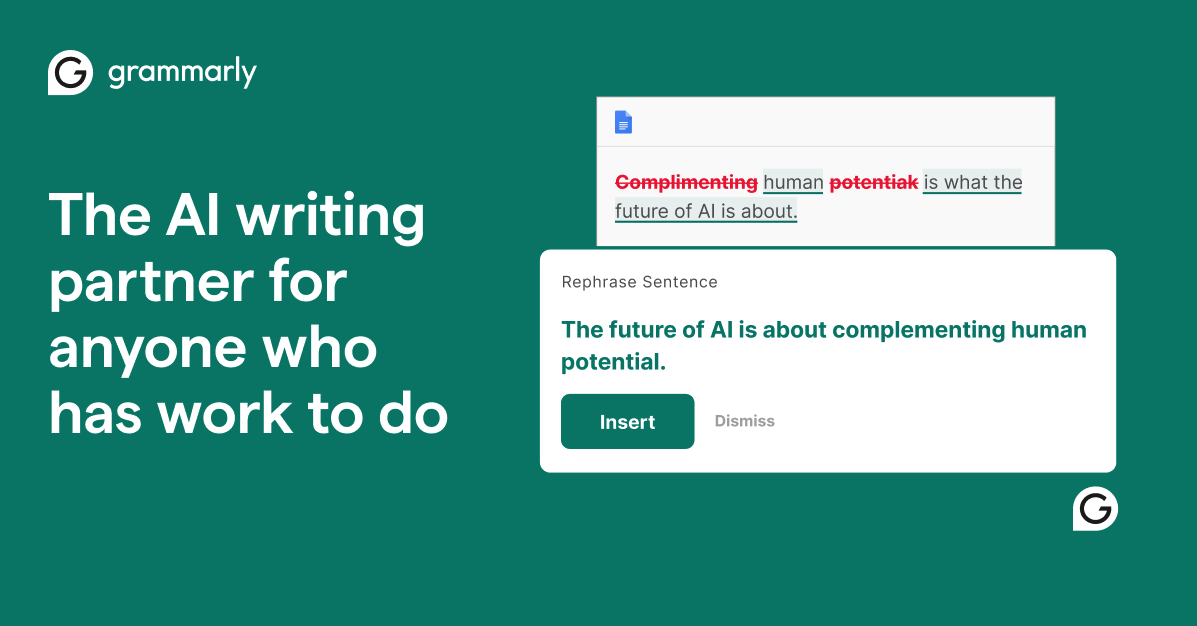
Grammarly
AI-powered writing assistant for grammar, clarity, and tone
- Real-time grammar, spelling, and punctuation correction
- Tone detection and adjustment
- Full-sentence rewrite suggestions
Frequently Asked Questions
How often should I update my LinkedIn profile?
Does the LinkedIn algorithm actually reward keyword optimization?
Should I use an open to work banner on LinkedIn?
Agent Skills for This Workflow
Get More Scenarios Like This
New AI guides, top MCP servers, and the best tools — curated weekly.