Applio
Disclosure: Some links earn us a commission at no extra cost to you. Rankings are independent — tools cannot pay for placement.
Open-source voice conversion tool powered by RVC technology
What is Applio?
Applio is an open-source voice conversion tool built on top of Retrieval-Based Voice Conversion (RVC) technology. It allows users to transform one voice into another while preserving the original speech's intonation, timing, and emotion. The tool is popular among music producers, content creators, and AI enthusiasts for creating AI voice covers and voice transformations.
The platform provides a user-friendly Gradio-based web interface that simplifies the traditionally complex process of voice model training and inference. Users can train custom voice models from audio samples, convert audio files using pre-trained models, and fine-tune parameters like pitch shifting and feature extraction methods (RMVPE, Crepe, Harvest) for optimal results.
Applio supports multiple audio formats, batch processing, and offers both a local installation and a Google Colab option for users without powerful GPUs. The project maintains an active model repository where the community shares pre-trained voice models. It also includes tools for dataset preparation, audio preprocessing, and model management.
As one of the most popular RVC forks on GitHub, Applio has built a large community around voice conversion experimentation. It is frequently used for creating AI song covers, voice acting experiments, and audio content production.
Key Features
Pros & Cons
Pros
- ✓ Completely free and open-source with active development
- ✓ High-quality voice conversion rivaling paid alternatives
- ✓ Large community with thousands of shared voice models
- ✓ Runs locally for full privacy or on Google Colab without a GPU
Cons
- ✗ Requires technical knowledge for local installation
- ✗ Training quality depends heavily on input audio quality and quantity
- ✗ GPU recommended for reasonable training and inference speed
Ready to try Applio?
See if it fits your workflow — completely free.
Video Tutorials
Applio Tutorial 2025 - Train Your Own AI Voice Model
Social&Apps
Pricing
Free and open-source (MIT License)
Open Source
$0
- ✓Full voice conversion capabilities
- ✓Custom voice model training
- ✓Gradio web interface
- ✓Batch audio processing
- ✓Community model repository
- ✓Google Colab support
Pay with crypto using a virtual Visa card
Who is Applio for?
Creating AI voice covers of songs in different voices
Voice acting and dubbing for content creation
Experimenting with voice transformation for music production
Building custom voice models for personal or creative projects
Preserving or recreating voices for artistic purposes
Frequently Asked Questions
Is Applio free?
Applio is open source and free to use. Free and open-source (MIT License)
What are Applio's key features?
Applio's standout features include RVC-based voice conversion with high fidelity, Custom voice model training from audio samples, Multiple pitch extraction methods (RMVPE, Crepe, Harvest), Gradio web UI for easy operation. It offers 8 features in total designed for creating ai voice covers of songs in different voices.
Can I pay for Applio with cryptocurrency?
Applio does not currently accept cryptocurrency directly. However, you can pay with crypto using a virtual Visa card funded by USDT, USDC, or other stablecoins.
What are the best alternatives to Applio?
Popular alternatives to Applio include ElevenLabs, Krisp, Murf.ai. Each offers different strengths in pricing, features, and specialization.
Prompts for Applio
Ready-to-use prompts you can copy and paste into Applio.
Generate Creative Story Premises
Generate 10 unique story premises for a [genre] story. Each premise should include: 1. A one-sentence hook 2. The protagonist and their core desire 3. The central conflict 4. A twist or unique element that sets it apart 5. Emotional theme Make each premise genuinely different in setting, character type, and narrative approach. Avoid cliches and overused tropes. After listing all 10, recommend the top 3 with the most commercial potential and explain why.
Write a Short Fiction Scene
Write a 500-word scene for a [genre] story with the following setup: Character: [name, brief description] Setting: [where and when] Conflict: [what tension drives the scene] Mood: [emotional tone] Requirements: - Open in media res (in the middle of action) - Use sensory details (at least 3 senses) - Include subtext in dialogue (characters say one thing but mean another) - End on a hook that makes the reader want to continue - Show, do not tell emotions - Vary sentence length for rhythm
Write a Thoughtful Book Review
Write a detailed review of [book title] by [author]. Go beyond summary. 1. **Core thesis**: What is the author's main argument in one sentence? 2. **Key ideas**: The 3-5 most important concepts with brief explanations 3. **Strongest chapter/section**: What worked best and why 4. **Weakest part**: Where does the argument falter or the writing drag? 5. **Target reader**: Who would benefit most from reading this? 6. **Comparative context**: How does this compare to other books on the same topic? 7. **Practical takeaways**: 3 things I can actually apply in my life/work 8. **Overall assessment**: Rating with nuanced justification 9. **Best quote**: One passage that captures the essence of the book
Structured Brainstorming Session
I need to brainstorm ideas for [topic/challenge]. Run a structured brainstorming session: 1. First, generate 20 ideas quickly without filtering (quantity over quality) 2. Group them into themes/categories 3. Apply the SCAMPER method to the top 5 ideas (Substitute, Combine, Adapt, Modify, Put to other use, Eliminate, Reverse) 4. Score each refined idea on: feasibility (1-5), impact (1-5), originality (1-5) 5. Present the top 3 ideas with a one-paragraph pitch for each 6. Suggest unexpected combinations of ideas that could create something novel Don't self-censor. Include unconventional ideas.
Generate YouTube Video Script
Write a script for a [duration]-minute YouTube video about [topic]. Channel style: [educational/entertainment/review/tutorial]. Target audience: [describe]. Structure: 1. **Hook** (0-15 sec): Pattern interrupt that prevents scrolling. No "Hey guys, welcome to my channel." 2. **Promise** (15-30 sec): What the viewer will learn/get by the end 3. **Content sections** (each 2-3 minutes): One clear point per section with examples 4. **B-roll suggestions**: Visual ideas for each section [in brackets] 5. **Retention tricks**: Re-hooks every 2-3 minutes to prevent drop-off 6. **CTA placement**: Natural subscribe/like prompts (not at the start) 7. **Outro**: End with a question or teaser for the next video Also provide: - Title options (under 60 chars, curiosity-driven) - Thumbnail concept (describe the visual) - Description with timestamps and keywords - 3 pinned comment ideas
Related Tools
ElevenLabs
Freemium
Ultra-realistic AI voice synthesis with instant voice cloning
- Ultra-realistic text-to-speech in 32 languages
- Instant and professional voice cloning
- Real-time streaming speech synthesis
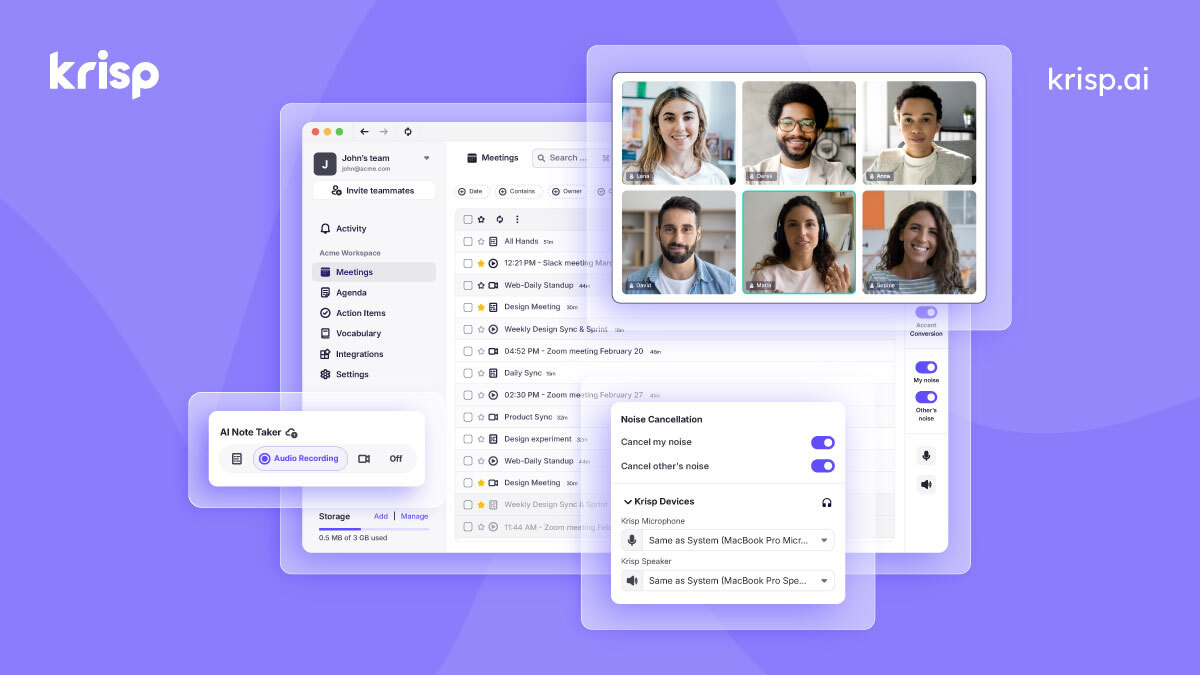
Krisp
Freemium
AI noise cancellation and voice enhancement for calls and meetings
- Real-time AI noise cancellation for calls
- Echo and background voice removal
- On-device audio processing for privacy

Murf.ai
Freemium
Enterprise AI voiceover platform for e-learning and corporate content
- 200+ AI voices across 30+ languages
- Studio editor with pitch, speed, and emphasis controls
- Video and voiceover synchronization

Otter.ai
Freemium
AI meeting transcription with automated notes and action items
- Real-time meeting transcription with speaker identification
- Automated meeting summaries and key takeaways
- Action item extraction and assignment
Disclosure: Some links on this page may be affiliate links. We may earn a commission if you make a purchase through these links, at no additional cost to you. This helps support Coda One.