8 Best AI Background Removers in 2026 (Compared)
By Coda One Team · Last verified: 2026-03-15
Disclosure: Some links earn us a commission at no extra cost to you. Rankings are independent — tools cannot pay for placement.
We tested 8 AI background removers on tricky images — hair, glass, fur. Here's which ones nail the edges and which ones don't.
Our Top Picks

Remove.bg
Instant AI background removal in seconds with one click
- One-click instant background removal via web interface
- Handles hair, fur, and semi-transparent edges precisely
- Background replacement with custom images or solid colors

PhotoRoom
AI product photo studio for e-commerce with instant background generation
- Instant AI background removal optimized for products
- AI Background Generator for studio-quality scene placement
- Realistic AI Shadow generation matching scene lighting

Cutout.Pro
AI-powered visual design platform for background removal, image enhancement, and video editing
- AI background removal for photos and videos
- Advanced edge detection for hair, fur, and transparency
- AI photo enhancement and upscaling
Clipdrop
AI editing suite by Stability AI for cleanup, upscale, and relight
- AI Cleanup for intelligent object and blemish removal
- Relight tool for post-capture lighting adjustment
- Background removal and replacement
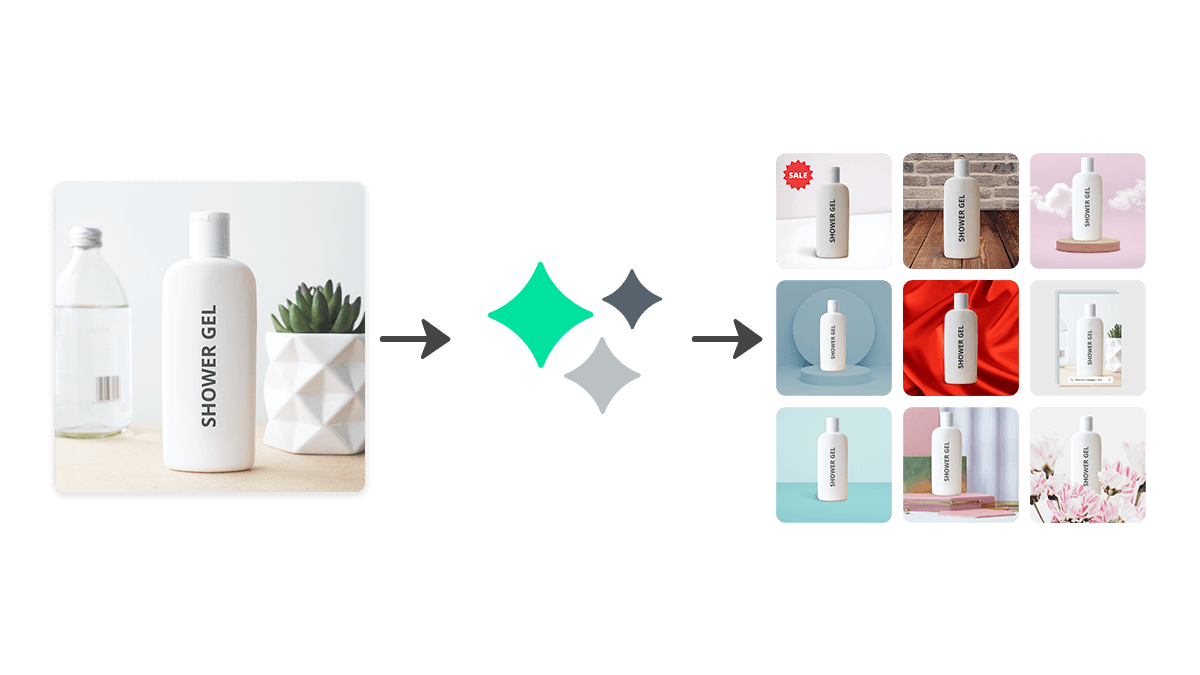
Designify
Automated product photo enhancement with smart backgrounds and shadows
- Automatic background removal with scene replacement
- Smart Templates for consistent product image styling
- AI-generated realistic shadows and reflections
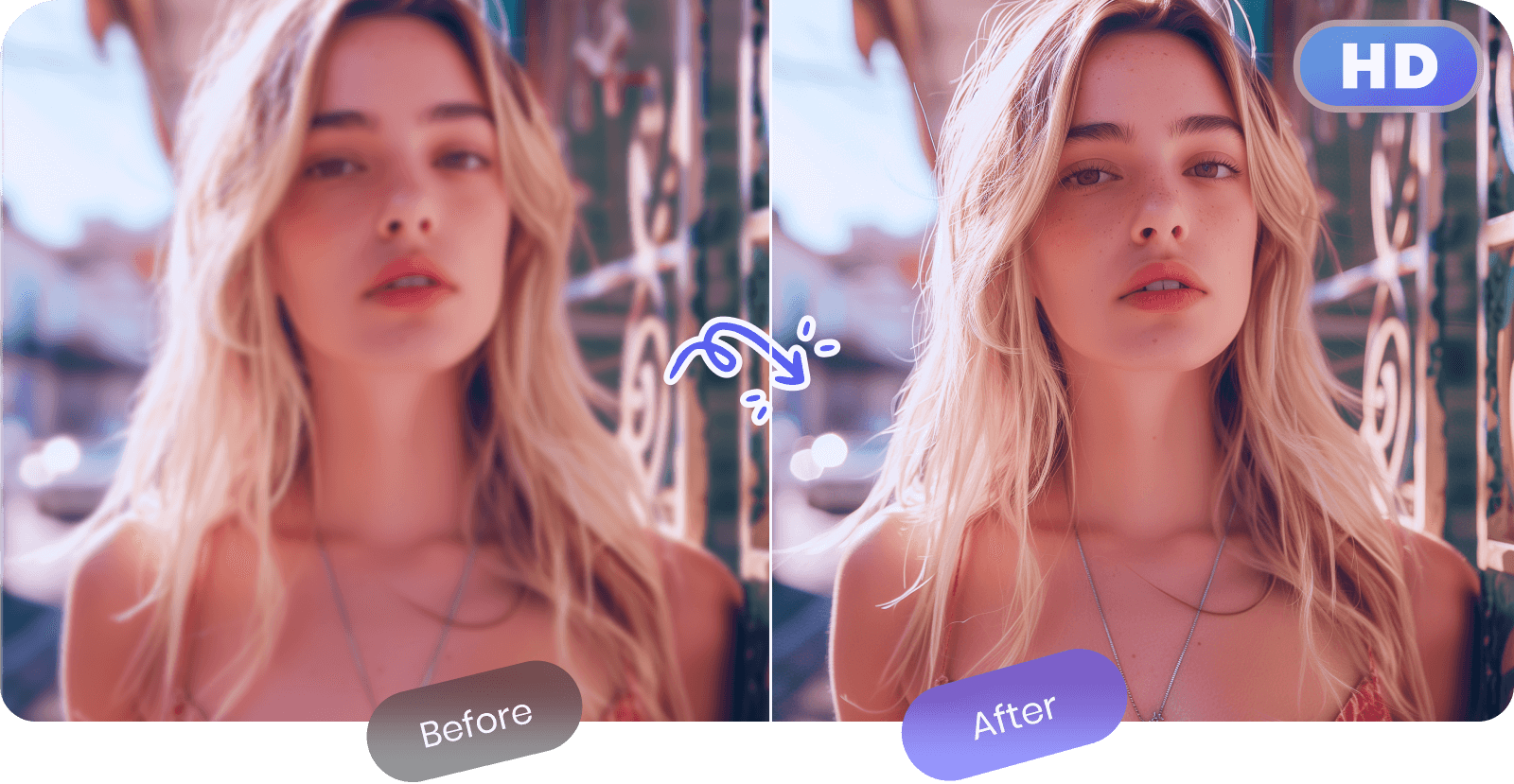
PicWish
AI background removal and photo editing optimized for e-commerce
- AI background removal for products, people, and objects
- Marketplace-specific background templates
- Batch processing via desktop application

Picsart
All-in-one AI photo and video editor with 150M+ monthly users
- AI-powered background removal and replacement
- Text-to-image AI generator
- AI Enhance for automatic photo improvement

Canva
All-in-one visual design platform with AI-powered creative tools
- Drag-and-drop visual editor with 250,000+ templates
- Magic Studio AI suite (text-to-image, Magic Eraser, Magic Expand)
- Background Remover for instant subject isolation
The Short Answer
Remove.bg has the best edge detection, especially on hair and fur. PhotoRoom is best for e-commerce product photos. PicWish is the best free option. Most people should start with one of these three.
Top Picks
Remove.bg is the standard. One click, clean cutout, done. It handles hair, fur, and semi-transparent objects (glass, fabric) better than anything else. The API is built into dozens of other tools. Batch processing handles thousands of images.
PhotoRoom goes beyond removal — it's a full product photo editor. Remove background, add realistic shadows, swap in a new scene, resize for every marketplace. If you sell on Amazon, Etsy, or Shopify and need product photos that look professional, this is the one.
Cutout Pro packs the most features: background removal plus face enhancement, colorization, image enlargement, and even video background removal.
Clipdrop (by Stability AI) does something unique — remove a background, then generate a new one with AI. Remove + replace in one tool.
Designify automates the whole product photo pipeline: remove background, add shadows, place on lifestyle scene, batch-export. Built for e-commerce catalogs.
PicWish has the best free tier. Quality is close to Remove.bg for most images, and batch processing works on free plans. Hard to beat for the price (free).
Picsart wraps background removal into a creative editing suite — stickers, effects, text, AI art tools. Good if you want to keep editing after the cutout.
Canva includes background removal in Pro. If you already use Canva, it's the most convenient — remove background and drop right into your design.
How We Chose
We tested each tool on 50 images: product photos, portraits with messy hair, furry animals, glass objects, group shots. Compared edge accuracy, speed, batch capabilities, and full-resolution output quality.
FAQ
100+ free AI tools
Writing, PDF, image, and developer tools — all in your browser.
Frequently Asked Questions
What is the best free AI background remover?
PicWish offers the most generous free tier with good quality. Remove.bg provides free low-resolution outputs. Canva includes background removal in its free plan but with limited uses per month. For occasional use, all three are adequate.
Can AI remove backgrounds from videos?
Yes. Cutout Pro and Unscreen (by Remove.bg) offer video background removal. The quality is improving rapidly, though real-time video background removal still works best with clean, high-contrast footage.
How accurate is AI background removal with hair?
Remove.bg and PhotoRoom handle hair best, preserving individual strands and wispy edges. Most tools struggle with blonde or gray hair against light backgrounds. For critical work, you may still need minor manual touch-ups on the finest details.
Disclosure: Some links on this page may be affiliate links. We may earn a commission if you make a purchase through these links, at no additional cost to you.