Skip to content
Beginner 15–30 min 4 Steps

Edit Photos Like a Pro with AI — Retouching to Effects

Get professional photo editing results without years of Photoshop experience. AI photo tools can remove backgrounds in one click, erase unwanted objects and fill them in realistically, retouch portrai...

What You'll Build

4
Steps
15–30m
Time
4
Tools
4
Prompts
Difficulty Beginner
Best for
photo editingretouchingbackground removalportrait

Step-by-Step Guide

Follow this 4-step workflow to complete in about 15–30 min.

Assess YourRemove orRetouch PortraitsEnhance Colors,
1

Assess Your Photo and Plan Your Edits

Before opening any tool, look at your photo and identify exactly what needs to change. The most common mistake beginners make is applying every filter and enhancement available, resulting in an over-processed, fake-looking image. Professional editing is mostly about fixing specific problems — not adding effects.

Prompt Template
I have a photo I want to edit and I need help planning the right sequence of edits and choosing the right tools. Please help me create an editing plan. **Photo description:** [Describe the photo in detail. e.g., 'A portrait photo of a person taken outdoors. The background is a messy parking lot. The lighting is slightly harsh — strong shadows under the eyes. The skin has some redness and blemishes. Overall the composition is good but the background and lighting are problems.' / 'A product photo of a handbag shot on a wooden table. The background is cluttered with other objects. The lighting is uneven — too bright on one side. The bag's color looks slightly washed out compared to real life.'] **Intended use:** [e.g., Instagram post / LinkedIn profile photo / e-commerce product listing / website banner / print / dating app / team page] **Main problems you want to fix:** [List the specific issues. e.g., 'Remove the background, fix the skin, make the colors pop' / 'Remove the background and put the product on a clean white background, fix the color'] **Style goal:** [e.g., 'Natural and clean — I don't want it to look heavily edited' / 'Bold and vivid for social media' / 'Professional and neutral for corporate use' / 'Bright and airy lifestyle aesthetic'] Please: 1. Prioritize my editing tasks in the right sequence (what to do first vs. last, and why order matters) 2. Match each editing task to the best beginner-friendly AI tool: Remove.bg, Photoroom, Fotor, or Picsart — with the specific feature within each tool 3. Flag any edits I listed that will look unnatural if overdone, and give me a 'how much is too much' guide for each 4. Identify anything I didn't mention that would significantly improve the photo based on my intended use 5. Estimate how long each step should take so I can decide whether to do all edits or only the highest-priority ones
Tip: The single most important question before editing is: what will the viewer's eye go to first, and is that the right thing? In a portrait, it should be the eyes. In a product photo, it should be the product. If the background, a color cast, or a distracting element is competing for attention, fix that before anything else. Everything else is polish.
2

Remove or Replace the Background

Background removal is the most impactful single edit for most photos — it eliminates distractions, makes products look professional, and gives you flexibility to place the subject on any background. Remove.bg and Photoroom both do this in one click with AI. The quality difference between tools shows up at hair, fur, and transparent edges.

Prompt Template
I've removed the background from my photo using [Remove.bg / Photoroom] and I want to evaluate the quality of the cut-out and either fix issues or choose a new background. Please help me with both. **My photo subject:** [e.g., person with long wavy hair / product with a glossy reflective surface / animal with fur / product with transparent packaging / person with glasses / car] **Quality issues with the background removal:** [Select all that apply] - Hair edges look frayed or have a halo - Fine strands of hair were cut off - Glasses have opaque areas that should be transparent - Reflective surfaces look unnatural after removal - Edges are jagged or pixelated - Part of the subject was removed (a thin strap, an arm, fabric) - The background wasn't fully removed — patches remain - The cut looks too sharp/hard-edged (looks like a cutout, not natural) **New background I want:** [e.g., 'Clean white background for e-commerce' / 'Soft blurred bokeh background in warm tones' / 'Lifestyle background — modern kitchen or coffee shop' / 'Solid color #[hex code]' / 'Keep transparent for use in Canva / Figma'] Please: 1. For each quality issue I listed: is this fixable within the AI tool, and if so, how? If not, what manual touch-up is needed and what free tool can I use (Canva background eraser, GIMP, mobile app)? 2. If I want a white e-commerce background: exact steps in Photoroom to get a clean, shadow-preserving white background that looks like a professional studio shot 3. If I want a lifestyle background: how to make the lighting on the subject match the new background so it doesn't look pasted-in (shadow direction, color temperature matching) 4. Should I use Remove.bg or Photoroom for my specific subject type, and why? 5. What resolution should I export at for my intended platform to avoid quality loss?
Tip: If your subject has complex hair or fine edges that the AI is struggling with, try photographing the subject against a contrasting solid-color background (bright green, bright blue, or pure white) from the start. A well-lit photo against a solid background produces near-perfect AI background removal every time. Bad lighting and complex background textures are what make background removal hard — the AI isn't struggling with hair, it's struggling with distinguishing hair-colored pixels from background-colored pixels.
3

Retouch Portraits and Fix Skin

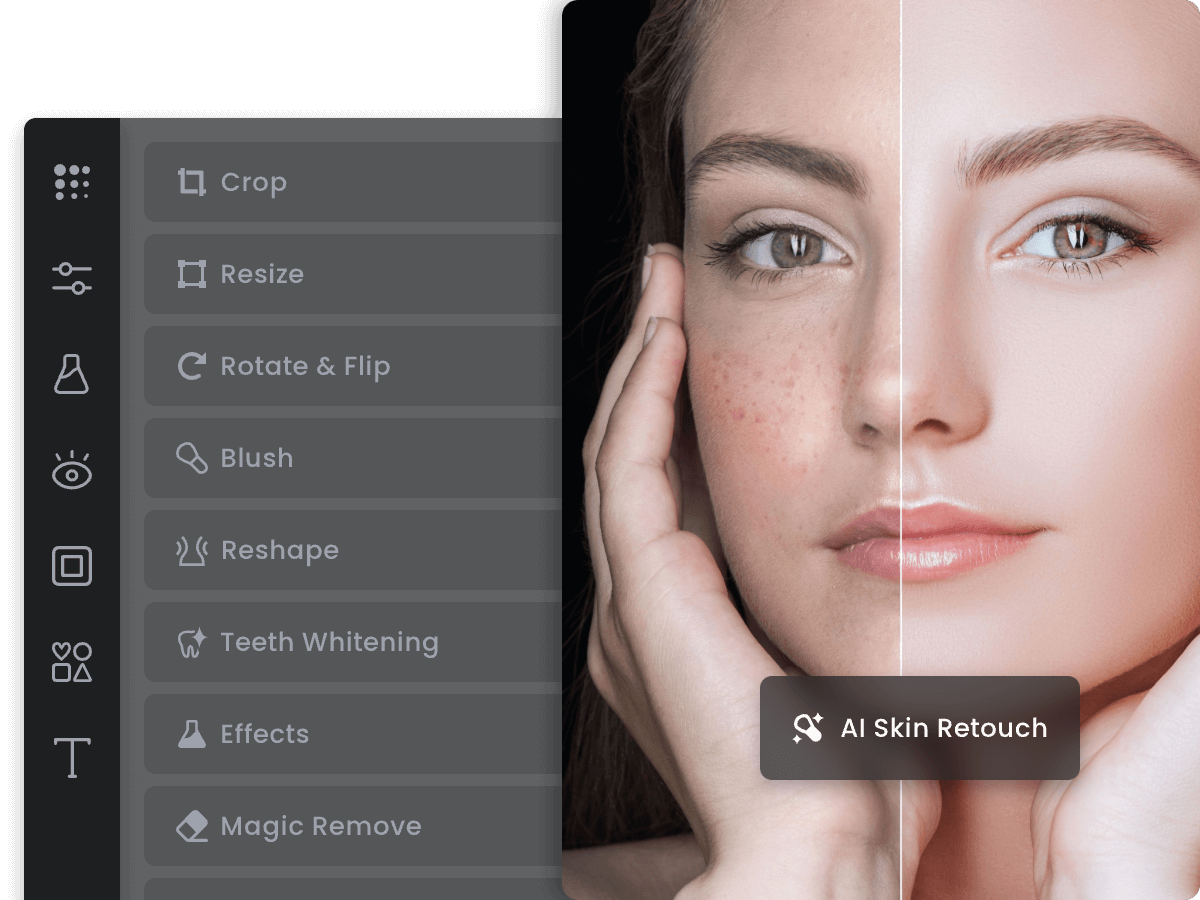
AI portrait retouching can handle skin smoothing, blemish removal, eye brightening, and teeth whitening automatically. The key is restraint — AI tools tend to over-smooth by default, producing a plastic, unnatural result. Your job is to dial it back to look natural, not to maximize every slider.

Prompt Template
I'm retouching a portrait photo and want to achieve a natural, professional result without making the subject look like a wax figure. Please help me use AI retouching tools correctly. **Portrait details:** - Subject: [yourself / client / employee / product model] - Photo quality: [professional camera / smartphone / webcam] - Specific issues to fix: [e.g., blemishes and redness / under-eye circles / uneven skin tone / slightly shiny skin / a birthmark the subject wants removed / fine lines / flyaway hair strands] - Absolutely do NOT change: [e.g., 'do not change the skin color' / 'do not slim the face' / 'keep the natural freckles'] **Use case:** [Professional headshot for LinkedIn / social media / e-commerce model photo / editorial photo / personal use] **Tool I'm using:** [Fotor AI Portrait / Picsart AI Photo Editor / Both] Please give me: 1. Step-by-step instructions for each edit I listed, with specific settings to use in Fotor or Picsart (which feature, which slider, what intensity level is 'natural' vs. 'overdone') 2. A 'natural retouching checklist': the 4–5 edits that make the biggest difference for professional-looking portraits without making retouching obvious 3. What to specifically avoid: the most common over-editing mistakes that make portraits look fake (over-smoothed skin, eye whites too bright, unrealistic skin tone changes) 4. How to do a 'before/after comparison' within the tool to make sure I haven't gone too far 5. For the specific issues I listed that the AI might not handle well (e.g., a specific blemish shape or location), what manual touch-up approach would you recommend? Finally, give me a 1–10 intensity guide for the main retouching sliders: where 1–3 = subtle and natural, 4–6 = visible but acceptable, 7–10 = obviously retouched and should be avoided for my use case.
Tip: The benchmark for 'natural' retouching: the edited photo should look like the person on their best day, not like a different person. A good test is to show both the original and the edited version to someone who knows the subject and ask if the edited version 'looks like them' — if they hesitate, you've gone too far. Skin texture is the main thing to preserve: completely smooth skin reads as fake. Keep some pores and micro-texture visible.
4

Enhance Colors, Lighting, and Atmosphere

After fixing structural problems (background, retouching), the final editing pass is about color, mood, and atmosphere. This is where you make the photo feel like it was shot in specific lighting conditions, match a brand aesthetic, or develop the distinct look of your social media feed.

Prompt Template
I've finished the structural edits on my photo and want to do a final color grading and atmosphere pass to give it a specific look and feel. Please help me achieve this. **Current state of my photo:** [Describe what the photo looks like now after your previous edits. e.g., 'Clean white background, subject properly cut out, skin has been lightly retouched. The photo looks technically clean but flat and lifeless.' / 'Outdoor photo with natural background. Colors look accurate but boring. No particular mood.'] **Target aesthetic:** [Describe the look you're going for. Be specific. e.g., 'Bright and airy with slightly warm tones — the kind of light, clean Instagram aesthetic you see in lifestyle brands like Mejuri or Glossier' / 'Moody and dramatic — deep shadows, desaturated slightly, cool blue shadows and warm highlights, like a fashion editorial' / 'Clean and neutral professional — slightly cooler tones, high contrast, the way business press photos look' / 'Film photography look — slight grain, lifted shadows, faded colors with warm tones'] **Reference accounts or brands with the look I want:** [Instagram handles, brand names, or 'I don't have a reference'] **Platform:** [Instagram / LinkedIn / E-commerce / Print] Please provide: 1. Step-by-step instructions to achieve my target aesthetic in Fotor or Picsart, with specific adjustments: which sliders to move and by how much (e.g., 'Raise highlights to +15, reduce saturation to -10, add a slight warm color filter at 30% opacity') 2. If Picsart has a preset filter close to my target aesthetic, name it and tell me what adjustments to make after applying it to fine-tune 3. The difference between 'color grading' (adjusting the overall color balance) and 'color correction' (fixing accurate color representation) — and which I need for my situation 4. How to make sure my edits look good across different screens (phone, monitor, print) — specifically, common mistakes that look fine on your screen but bad on others 5. The 3 most important adjustments that will take my photo from 'flat and clean' to 'has atmosphere and feeling' — prioritized by impact
Tip: Before applying a filter or preset, identify the specific light source in your original photo: is it warm (golden hour, indoor tungsten) or cool (overcast sky, blue shade)? Color grading fights against the original light color instead of working with it. Always grade in the same direction as the existing light temperature — if your photo was shot in warm afternoon light, a warm vintage grade will look natural; a cool moody grade will look like you changed the weather.

Recommended Tools for This Scenario

MCP Servers for This Scenario

Browse all MCP servers →

Frequently Asked Questions

Remove.bg vs. Photoroom — which should I use?
Remove.bg is the fastest option for a single task: removing a background from one photo. It's one click, the result downloads immediately, and the quality is excellent for standard subjects (people, products, pets). Photoroom is the better choice if you're doing more than background removal — it also handles background replacement, shadow addition, batch processing, and product photo presets in one workflow. For e-commerce sellers processing product photos regularly, Photoroom's batch mode is a significant time saver. For one-off background removal from any device, Remove.bg is faster.
Can AI editing completely replace Photoshop?
For most common editing tasks, yes. Background removal, basic retouching, color adjustment, blemish removal, object removal with fill — all of these are now done faster and better by AI tools than manual Photoshop work for a beginner. Where Photoshop still wins: complex compositing (placing a subject from one photo into a dramatically different scene convincingly), precise masking of complex subjects, high-stakes commercial retouching where a client is reviewing every pixel, and batch automation workflows that require scripting. If you're doing social media content, product photos, or personal photo editing, AI tools will handle 90% of what you need without Photoshop.
Why does background removal look good on the AI preview but bad when I download it?
This is almost always a resolution issue. Many AI tools show you a preview at a lower resolution where edge artifacts are not visible, but when you download and zoom in, you see fraying, halos, or pixelated edges. Check: (1) Are you downloading the full-resolution file or a compressed preview? Free tiers of Remove.bg download lower resolution — the paid version gives full resolution. (2) Is the export format PNG with transparency? Exporting as JPG will flatten transparency to a white background. (3) If you're placing the cut-out on a new background in Canva, use PNG format for the cut-out to preserve transparent edges.
Is it ethical to use AI retouching for photos of people?
Context matters. Removing a temporary blemish or adjusting color balance — changes that could happen naturally — are widely accepted. Changing body shape, skin tone, or facial structure raises ethical concerns, particularly when publishing content of other people without their explicit consent, or when creating unrealistic beauty standards for audiences. For professional use: always get the subject's consent for retouching, and for commercial work (advertising, editorial), specify what types of retouching are approved. Many platforms and publications now require disclosure when images are significantly AI-retouched. The practical guidance: stick to lighting, color, and minor skin correction; avoid anything that changes the person's appearance in a way they might not recognize.

Coda One Tools for This Scenario

Try Image Compressor

Reduce image file size without visible quality loss. Supports PNG, JPG, WebP.

Try Free

Try Remove Background

AI-powered background removal, runs 100% locally in your browser.

Try Free
photo editingretouchingbackground removalportraitproduct photographydesignbeginner
Was this helpful?

Get More Scenarios Like This

New AI guides, top tools, and prompt templates — curated weekly.