By Coda One Team · Last verified: 2026-03-13
8 Best AI Voice & Audio Tools in 2026 (Compared)
Disclosure: Some links earn us a commission at no extra cost to you. Rankings are independent — tools cannot pay for placement.
8 AI voice and audio tools compared — text-to-speech, voice cloning, transcription, and music generation, with clear picks for each use case.
Our Top Picks
ElevenLabs
Ultra-realistic AI voice synthesis with instant voice cloning
- Ultra-realistic text-to-speech in 32 languages
- Instant and professional voice cloning
- Real-time streaming speech synthesis

Otter.ai
AI meeting transcription with automated notes and action items
- Real-time meeting transcription with speaker identification
- Automated meeting summaries and key takeaways
- Action item extraction and assignment

Suno
Create full songs with vocals and instrumentals from text prompts
- Full song generation with vocals and instrumentals
- Text-to-music from natural language prompts
- Custom lyrics support with AI vocal performance

Murf.ai
Enterprise AI voiceover platform for e-learning and corporate content
- 200+ AI voices across 30+ languages
- Studio editor with pitch, speed, and emphasis controls
- Video and voiceover synchronization

Play.ht
Ultra-realistic AI voices with unlimited plans and developer API
- Ultra-realistic AI voices with emotional range
- Voice cloning from short audio samples
- Real-time streaming API with WebSocket support
Krisp
AI noise cancellation and voice enhancement for calls and meetings
- Real-time AI noise cancellation for calls
- Echo and background voice removal
- On-device audio processing for privacy

Speechify
AI text-to-speech reader for PDFs, web pages, and documents
- Read-aloud for PDFs, web pages, and documents
- 200+ AI voices in 60+ languages
- Adjustable playback speed up to 4.5x

Adobe Podcast
Free AI-powered audio enhancement that makes any recording sound professional
- One-click Enhance Speech for studio-quality audio
- Background noise and reverb removal
- Browser-based with no installation required
The Short Answer
ElevenLabs makes the best AI voices. Otter.ai does the best meeting transcription. Suno generates the best AI music. Krisp has the best noise cancellation. Different tools for different audio needs.
Quick Picks
ElevenLabs — best TTS and voice cloning. Otter.ai — best transcription. Suno — best music generation. Krisp — best noise cancellation. Adobe Podcast — best audio cleanup.
Detailed Reviews
1. ElevenLabs — Best Text-to-Speech and Voice Cloning
ElevenLabs has set the standard for AI voice quality. Its voices are very natural, with proper intonation, emotion, and pacing. The voice cloning feature can replicate a voice from just a few minutes of sample audio. Use cases include audiobook narration, video voiceovers, podcast production, and accessibility applications. The API makes it easy to integrate into production workflows. Free tier includes limited characters; paid plans start at $5/month.
2. Otter.ai — Best for Meeting Transcription
Otter.ai dominates the meeting transcription space with real-time transcription, automatic speaker identification, and smart summaries. It integrates with Zoom, Google Meet, and Microsoft Teams to join meetings automatically and generate searchable transcripts with action items. The AI chat feature lets you ask questions about your meeting content. Essential for anyone who attends frequent meetings.
3. Suno — Best for AI Music Generation
Suno generates complete songs from text descriptions, including vocals, instruments, and production. The quality has reached a level where generated tracks are usable for content soundtracks, social media, and creative projects. You can specify genre, mood, tempo, and even provide lyrics. The free tier offers a reasonable number of generations per day.
4. Murf.ai — Best for Professional Voiceovers
Murf.ai focuses on studio-quality voiceovers for business use. Its voice library covers many languages and accents, with fine-grained controls for pitch, speed, and emphasis. The video synchronization feature lets you add voiceovers directly to video content. Popular with e-learning companies, marketing teams, and corporate communications departments.
5. Play.ht — Best for Developer Integration
Play.ht offers high-quality text-to-speech with a solid API that developers love. Its ultra-realistic voices, low latency streaming, and voice cloning capabilities make it ideal for building voice-enabled applications, IVR systems, and automated content pipelines. Supports SSML for fine-grained speech control.
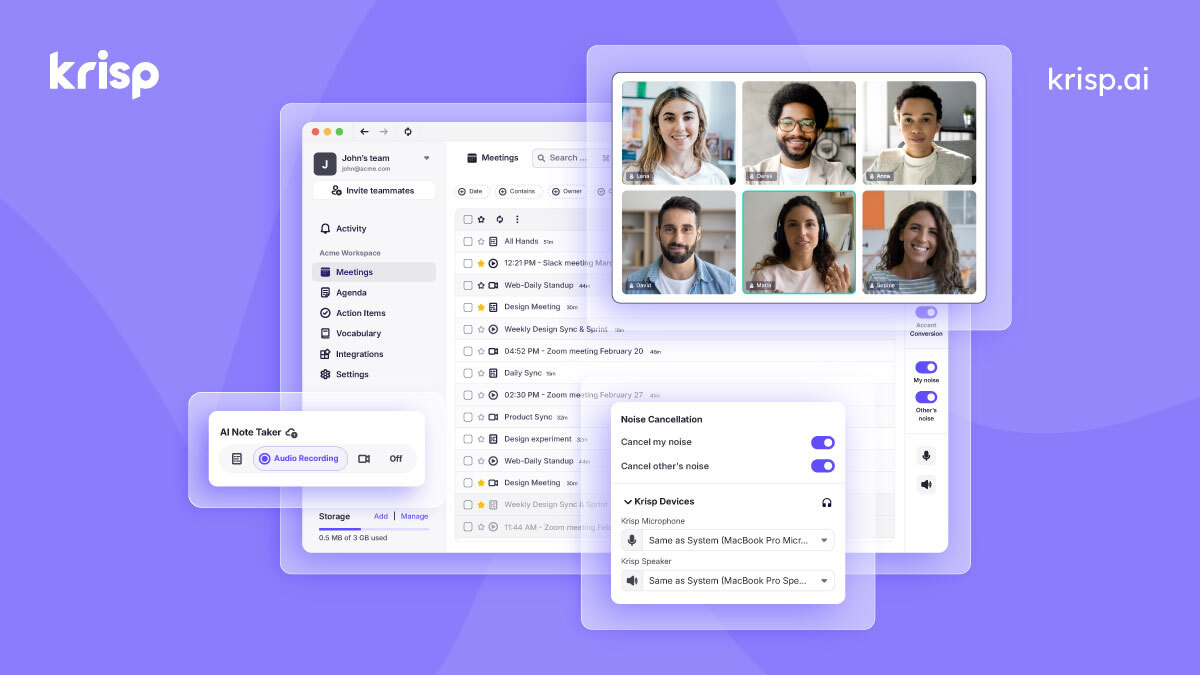
6. Krisp — Best for Noise Cancellation
Krisp uses AI to remove background noise, echo, and other audio distractions from calls in real time. It works as a virtual microphone and speaker that sits between your hardware and any communication app. Invaluable for remote workers, call centers, and anyone working in noisy environments. The free tier provides limited minutes per day.
7. Speechify — Best for Text-to-Speech Reading
Speechify converts any text into natural-sounding speech, making it ideal for consuming articles, documents, and books as audio. The browser extension and mobile app work across platforms, turning your reading list into a listening queue. Popular with students, professionals with reading disabilities, and anyone who prefers audio learning.
8. Adobe Podcast — Best for Audio Enhancement
Adobe Podcast uses AI to clean up and improve audio quality, removing background noise and enhancing voice clarity to near-studio quality. Its "Enhance Speech" feature is very effective at rescuing poorly recorded audio. Free to use with an Adobe account, making it an essential tool for podcasters and content creators.
How We Chose These Tools
We tested each tool across its primary use case: TTS tools were evaluated on voice naturalness and language support, transcription tools on accuracy and speaker identification, and music tools on output quality and controllability. We used standardized audio samples and real-world scenarios including meetings, voiceover scripts, and music prompts.
Key Considerations When Choosing
- Audio quality: Listen to samples in your target language before committing
- Voice naturalness: The gap between the best and worst TTS engines is enormous
- Language support: Not all tools support all languages equally well
- API availability: Critical for developers building voice into applications
- Usage limits: Many tools use credit or character-based pricing
- Latency: Real-time applications require low-latency solutions
- Commercial licensing: Verify rights for generated audio, especially for music
100+ free AI tools
Writing, PDF, image, and developer tools — all in your browser.
Frequently Asked Questions
What is the most realistic AI voice generator?
ElevenLabs consistently produces the most natural-sounding AI voices, with proper emotional inflection and pacing. Play.ht and Murf.ai are close competitors, each with their own strengths in specific languages and use cases.
Can AI transcription replace human transcriptionists?
For most business meeting transcription, AI tools like Otter.ai are accurate enough to replace human transcription. However, for legal proceedings, medical dictation, and heavily accented or technical speech, human review is still recommended. Most AI transcription tools achieve 90-95% accuracy under good audio conditions.
Is AI-generated music copyright-free?
The copyright status of AI-generated music is still evolving legally. Suno and similar tools grant commercial usage rights for content created on paid plans, but the broader legal landscape remains unsettled. For risk-sensitive commercial projects, verify the specific terms of service and consider consulting legal counsel.
Disclosure: Some links on this page may be affiliate links. We may earn a commission if you make a purchase through these links, at no additional cost to you.