
Speechify
By Coda One Team · Last verified: March 2026
Disclosure: Some links earn us a commission at no extra cost to you. Rankings are independent — tools cannot pay for placement.
AI text-to-speech reader for PDFs, web pages, and documents
What is Speechify?
Speechify is a text-to-speech reader app with over 50 million users that converts any written content — PDFs, web pages, documents, and ebooks — into natural-sounding audio. The platform is designed for consumption rather than creation, letting users listen to content on the go.
Speechify offers 200+ AI voices in 60+ languages with adjustable playback speeds up to 4.5x. The Chrome extension and mobile apps allow users to highlight and listen to any text instantly. A separate Speechify Studio product targets creators who need professional voiceover generation.
The platform integrates with Google Drive, Dropbox, and popular reading apps. Its OCR capability can read text from images and scanned documents, making it useful for accessibility needs. Speechify has gained particular traction among students with dyslexia, busy professionals who prefer audio learning, and anyone who wants to consume written content while multitasking.
Key Features
Pros & Cons
Pros
- ✓ Largest user base with 50M+ users and polished apps
- ✓ Excellent for consuming written content as audio
- ✓ Strong accessibility features for users with dyslexia
- ✓ Wide platform support across web, iOS, Android, and Mac
Cons
- ✗ Premium pricing is high for a reader app
- ✗ Studio and Reader are separate products with separate pricing
- ✗ Free tier voices sound noticeably robotic
Ready to try Speechify?
See if it fits your workflow — free plan available.
Video Tutorials
How to use Speechify Tutorial
Speechify
Pricing
Free with basic voices. Premium at $11.58/month (annual). Speechify Studio is a separate product at $19-49/month.
Free
$0
- ✓Basic AI voices
- ✓Limited speed control
- ✓Chrome extension
- ✓Mobile app access
Premium
$11.58/month (billed annually)
- ✓200+ premium voices
- ✓Speed up to 4.5x
- ✓OCR for images and scans
- ✓Offline listening
Studio (Starter)
$19/month
- ✓AI voiceover creation
- ✓Voice cloning
- ✓Video dubbing
- ✓Commercial license
Studio (Professional)
$49/month
- ✓Higher generation limits
- ✓Priority rendering
- ✓Advanced editing tools
- ✓Team features
Pay with crypto using a virtual Visa card
Humanize AI content from Speechify
Transform AI-generated text into natural, human-sounding writing that bypasses detection tools.
Try FreeWho is Speechify for?
Listening to articles and PDFs during commutes
Accessibility aid for dyslexia and visual impairments
Study aid for audio learners
Voiceover creation via Speechify Studio
Proofreading by listening to written content
Frequently Asked Questions
Is Speechify free?
Speechify offers a free tier with limited features. Free with basic voices. Premium at $11.58/month (annual). Speechify Studio is a separate product at $19-49/month. Paid plans unlock additional capabilities.
What are Speechify's key features?
Speechify's standout features include Read-aloud for PDFs, web pages, and documents, 200+ AI voices in 60+ languages, Adjustable playback speed up to 4.5x, Chrome extension for instant web reading. It offers 8 features in total designed for listening to articles and pdfs during commutes.
Can I pay for Speechify with cryptocurrency?
Speechify does not currently accept cryptocurrency directly. However, you can pay with crypto using a virtual Visa card funded by USDT, USDC, or other stablecoins.
What are the best alternatives to Speechify?
Popular alternatives to Speechify include ElevenLabs, Krisp, Murf.ai. Each offers different strengths in pricing, features, and specialization.
Does Speechify have an API?
Yes, Speechify offers an API. The API uses a usage-based pricing model.
Do I need to sign up to use Speechify?
Speechify requires an account to access most features. If you prefer no-signup tools, browse Coda One's free tools.
Does Speechify work on mobile?
Speechify works in any modern browser on desktop, tablet, and mobile — no install required. For offline or on-device workflows, check our tool catalog for alternatives.
Is my data safe with Speechify?
Review Speechify's privacy policy at https://speechify.com for specifics on data retention. For browser-local processing (no server upload), see Coda One's PDF and image tools.
What pricing plans does Speechify offer?
Speechify offers 4 plans: Free, Premium, Studio (Starter), and more. Starts at Free. Compare with Coda One's own pricing.
Can I cancel or get a refund from Speechify?
Cancellation and refund policies are set by Speechify — check their terms at https://speechify.com. Coda One's own paid plans can be cancelled anytime from your subscription dashboard.
How can I pay for Speechify with USDT or USDC?
Since Speechify does not take crypto directly, the practical route is a Coda One virtual Visa card funded by USDT/USDC, which works anywhere Visa is accepted.
Who is Speechify best for?
Speechify is most useful for Listening to articles and PDFs during commutes, Accessibility aid for dyslexia and visual impairments, Study aid for audio learners. For related workflows, explore Coda One's AI tool catalog.
Related Tools
ElevenLabs
Ultra-realistic AI voice synthesis with instant voice cloning
- Ultra-realistic text-to-speech in 32 languages
- Instant and professional voice cloning
- Real-time streaming speech synthesis
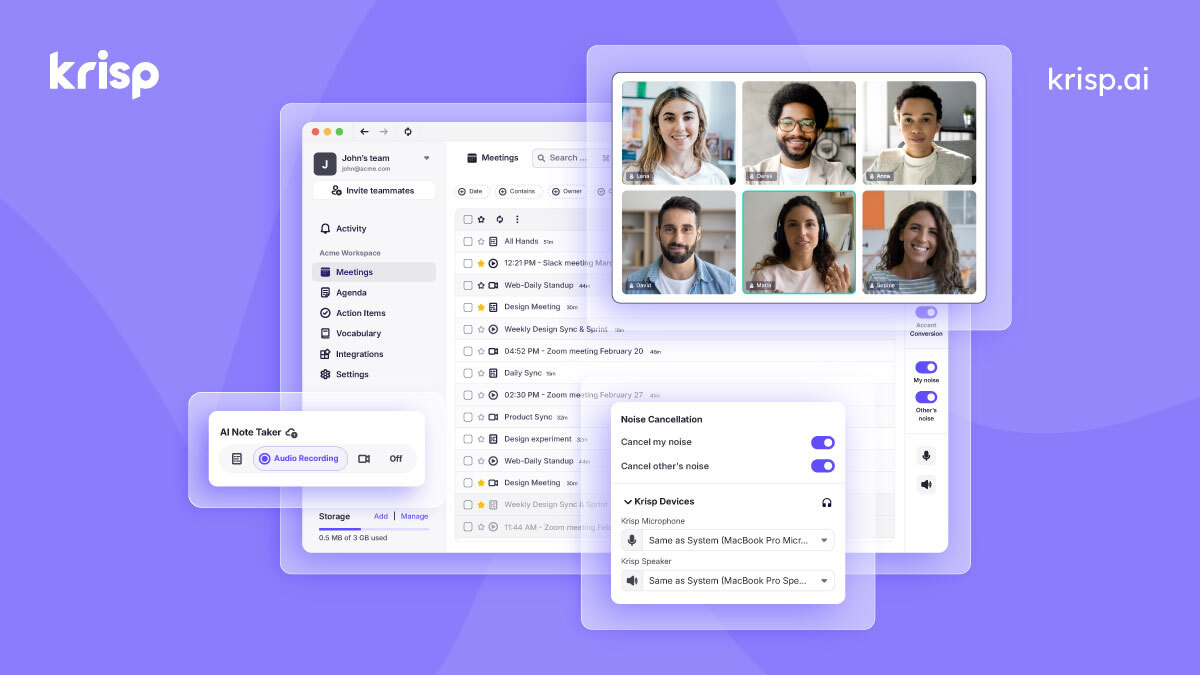
Krisp
AI noise cancellation and voice enhancement for calls and meetings
- Real-time AI noise cancellation for calls
- Echo and background voice removal
- On-device audio processing for privacy

Murf.ai
Enterprise AI voiceover platform for e-learning and corporate content
- 200+ AI voices across 30+ languages
- Studio editor with pitch, speed, and emphasis controls
- Video and voiceover synchronization

Otter.ai
AI meeting transcription with automated notes and action items
- Real-time meeting transcription with speaker identification
- Automated meeting summaries and key takeaways
- Action item extraction and assignment
Discover More AI Tools
Weekly curated tools, scenarios, and MCP server updates.
Disclosure: Some links on this page may be affiliate links. We may earn a commission if you make a purchase through these links, at no additional cost to you. This helps support Coda One.