Skip to content
Intermediate 90 min 6 Steps

Automate Your CRM with AI — Leads to Loyalty

Most CRM systems are glorified contact databases — data goes in but actionable intelligence rarely comes out. AI changes this by automatically enriching leads, scoring prospects, drafting personalized...

What You'll Build

6
Steps
90m
Time
4
Tools
5
Prompts
Difficulty Intermediate
Best for
crmsales automationlead scoringhubspot

Step-by-Step Guide

Follow this 6-step workflow to complete in about 90 min.

Audit YourSet UpAutomate PersonalizedBuild Pre-CallPolish YourCreate an
1

Audit Your Current CRM and Define the Automation Goals

Before building automations, map your current state honestly. Most CRM automation projects fail because they automate a broken process — speeding up bad workflows just creates faster failures. Start with an audit.

Prompt Template
Help me plan a CRM automation project. Before building anything, I need to audit my current state and prioritize the highest-impact automations. **Our CRM context:** - CRM platform: [HubSpot / Salesforce / Pipedrive / HubSpot + Zapier / other] - Team size: [e.g., '3 sales reps,' '1 person handles all sales,' '10-person sales team'] - Monthly lead volume: [e.g., '50 leads/month,' '500 leads/month'] - Deal cycle length: [e.g., '1-week transactional,' '3-month enterprise deals'] - Average deal value: [e.g., '$200 one-time,' '$2,000/year subscription,' '$50K enterprise'] **Current manual work that wastes the most time (pick top 3):** [e.g., 'manually adding leads from web forms,' 'writing follow-up emails after demos,' 'looking up company info before calls,' 'reminding reps to follow up on stale deals,' 'building weekly pipeline reports'] **Biggest problems with our current CRM:** [e.g., 'data quality is terrible — half the records are incomplete,' 'reps do not update the CRM after meetings,' 'we have no lead scoring so reps call everyone equally,' 'we lose deals in the follow-up phase because there is no systematic process'] **What we have tried before (if anything):** [automations attempted, tools added, why they failed or were abandoned] Please help me: 1. Rank my automation opportunities by impact vs. implementation effort (create a 2x2 matrix: high impact/easy, high impact/hard, low impact/easy, low impact/hard) 2. Identify the single highest-ROI automation I should implement first based on my context 3. List the data quality issues I need to fix before automations will work reliably (automations built on bad data produce bad results) 4. Write a 90-day CRM automation roadmap: what to build in weeks 1-4, weeks 5-8, and weeks 9-12
Tip: Automate the follow-up, not the thinking. The most valuable CRM automations handle the repetitive, time-based work (follow-ups, reminders, data entry) while leaving judgment calls (whether to pursue a deal, how to handle a difficult client) to humans. If your automation is making decisions that require customer relationship context, it will make wrong decisions at scale.
2

Set Up AI-Powered Lead Scoring and Enrichment

Not all leads are equal, and treating them equally wastes sales capacity on low-value prospects while ignoring high-value ones. AI lead scoring and enrichment automatically prioritize the leads worth pursuing.

Prompt Template
Help me design an AI-powered lead scoring and enrichment system for our CRM. I want to automatically prioritize which leads sales should contact first and pre-populate lead records with useful context. **Our lead sources:** [e.g., 'website contact form,' 'inbound demo requests,' 'LinkedIn outreach,' 'conference badge scans,' 'content downloads,' 'referrals'] **Our ideal customer profile (ICP):** - Company size: [e.g., '50-500 employees,' '10+ person marketing teams'] - Industry: [list target industries] - Geography: [target regions] - Role/Title of decision maker: [e.g., 'VP Sales,' 'Marketing Director,' 'IT Manager'] - Signs of buying intent: [e.g., 'visited pricing page,' 'opened 3+ emails,' 'requested a demo,' 'searched for competitor alternatives'] - Disqualifying signals: [e.g., 'company under 10 employees,' 'student email,' 'geography outside our service area'] **CRM platform details:** [HubSpot / Salesforce / other] Please design: **1. Lead Scoring Model** A point-based scoring system with: - Demographic/firmographic fit scores (ICP match) - Behavioral engagement scores (email opens, page visits, content downloads) - Intent signals (high-value scores) - Negative scores (disqualifiers that reduce score) - Threshold definitions: what score = Marketing Qualified Lead (MQL), Sales Qualified Lead (SQL), Hot lead requiring same-day contact **2. Enrichment Automation** For each new lead that enters the CRM, what data should be automatically added? - From which enrichment tools (Clearbit, Clay, LinkedIn, etc.)? - What fields should be auto-populated? - What should trigger a human review flag (e.g., missing company data, mismatched email domain)? **3. CRM Implementation Instructions** Step-by-step setup instructions for [HubSpot / Salesforce / Zapier] to implement this scoring model. Include: - Which native features to use vs. which require an integration - The exact workflow/automation rules to create - How to test that the scoring is working correctly **4. Routing Rules** Once a lead hits a score threshold, what happens? Route to specific rep? Auto-assign? Add to a sequence? Alert the manager? Define the routing logic.
Tip: Start with a simple 3-bucket score (hot/warm/cold) rather than a complex 100-point model. Complex scoring models require lots of data to be accurate, and early on you do not have that data. A simple model lets you start using scoring immediately and refine it once you can measure whether high-scoring leads actually convert better than low-scoring ones.
3

Automate Personalized Outreach Sequences

AI can draft personalized outreach emails using CRM data — company name, industry, recent news, title, and lead source — so each email feels hand-written even when it is part of an automated sequence.

Prompt Template
Help me build an AI-powered outreach sequence for our CRM. I want personalized emails that use data from the CRM record to feel genuinely relevant, not generic. **Sales context:** - What we sell: [product/service description in one sentence] - Primary value proposition: [what problem we solve] - Target persona for this sequence: [role, company type, pain point] - Sequence trigger: [e.g., 'new inbound lead from demo request form,' 'lead hits SQL score,' 'contact re-engages after 60 days'] - Sequence length: [e.g., '5 emails over 2 weeks,' '3 emails over 1 week'] - Our tone: [e.g., 'professional but conversational,' 'direct and data-driven,' 'casual and friendly'] **CRM data fields available for personalization:** [List the fields you have: company name, job title, industry, lead source, pages visited, content downloaded, company size, location, etc.] **Please write a [X]-email sequence:** For each email: - Subject line (and 2 alternatives to A/B test) - Email body using [PERSONALIZATION_FIELD] placeholders for dynamic CRM data - Call to action (one clear next step — not multiple options) - Timing: how many days after the previous email - Goal of this specific email in the sequence (awareness, curiosity, proof, urgency, last attempt) **Additional requirements:** - Each email should be under 120 words — busy people do not read long cold emails - The sequence should escalate in directness: email 1 is curious and low-pressure; the final email is a clean break ('no worries if the timing is not right') - Include at least one email that uses a company-specific observation (e.g., 'I noticed [Company] recently [industry-relevant observation]') with instructions on how the rep should customize this manually or via dynamic content - Flag which parts of each email should be reviewed or personalized by the rep before sending vs. which can go fully automated Also write: the criteria for removing a contact from the sequence (replied, unsubscribed, booked a meeting, competitor identified).
Tip: The personalization that actually works is not first-name tokens — it is industry-specific pain points and references to what the prospect actually did (visited your pricing page, downloaded your whitepaper). If your CRM tracks behavioral data, use it in email copy. An email that says 'I noticed you looked at our enterprise pricing page' will always outperform one that says 'Hi [FIRST_NAME].'
4

Build Pre-Call AI Briefings and Post-Call Automation

Sales reps who research their prospects before a call close at higher rates. AI can automatically generate a one-page briefing from CRM data before every scheduled call, and automatically log and summarize call notes afterward.

Prompt Template
Help me build two automation workflows around sales calls: a pre-call briefing generator and a post-call logging system. **Our stack:** - CRM: [HubSpot / Salesforce / other] - Calendar: [Google Calendar / Outlook] - Call tool: [Zoom / Teams / phone / Gong / Chorus] - Note-taking: [native CRM / Notion / Google Docs / Gong transcripts] - Automation connector: [Zapier / Make / HubSpot workflows / Salesforce Flow] **WORKFLOW 1: Pre-Call Briefing** Trigger: Meeting is created in calendar with a CRM contact linked Output: A pre-call briefing sent to the rep 1 hour before the meeting The briefing should pull from the CRM record and compile: 1. Contact profile: name, title, company, how long they have been a contact, lead source 2. Engagement history: emails opened, links clicked, pages visited, content downloaded, previous meetings 3. Deal status: current deal stage, deal value, days since last activity, any open tasks 4. Previous conversation notes: summary of last 3 meeting notes (if they exist in CRM) 5. Company intelligence prompt: a reminder to the rep to check for recent news about the company (LinkedIn, Google news) before the call 6. Suggested talking points: based on the contact profile and deal stage, what are the 2-3 most relevant things to discuss? 7. Open questions: any unanswered questions from previous conversations flagged in notes Give me: - The exact Zapier/workflow automation to build (step by step) - The ChatGPT/AI prompt to use to generate the 'suggested talking points' section dynamically - The email template for the briefing **WORKFLOW 2: Post-Call Automation** Trigger: Meeting ends (calendar event ends) Goal: Automatically update the CRM with call notes and trigger appropriate follow-up Design a workflow where: 1. Rep receives a quick mobile-friendly form (3-5 questions) to fill in within 15 minutes of the call ending 2. Their answers auto-populate the CRM meeting note in structured format 3. Based on the meeting outcome they select, the system automatically: moves the deal stage, creates a follow-up task, triggers a follow-up email sequence, or alerts the manager Specify: the 5 questions on the post-call form, the branching logic for each outcome, and the exact CRM fields to update.
Tip: The pre-call briefing only works if it is delivered automatically — not if the rep has to go find it. The automation should deliver it to wherever the rep naturally looks before a call: email, Slack, or the calendar invite itself. A briefing that requires three clicks to find will be ignored.
5

Polish Your Business Documents

Business communications need to be professional and error-free. Give your AI-generated drafts a final review.

Tip: For documents going to investors or clients, run through both Humanizer and Grammar Check.
6

Create an AI-Powered Pipeline and Churn Risk Dashboard

Close the loop by using AI to automatically surface pipeline health issues and churn risks — so managers can coach to the right deals and customer success can intervene before a customer leaves.

Prompt Template
Help me build an AI-powered pipeline health and churn risk reporting system in our CRM. **Our business:** - Revenue model: [e.g., 'subscription SaaS,' 'transactional,' 'retainer-based services'] - Average customer lifetime: [e.g., '18 months,' '3+ years,' 'one-time purchase'] - CRM: [HubSpot / Salesforce] - Number of active deals in pipeline: [approximate] - Number of active customers: [approximate] **PART 1: Pipeline Health Automation** Design an AI-assisted pipeline review system that automatically: 1. Flags deals at risk of slipping: define the signals (e.g., no activity in 14+ days, deal age exceeds average cycle by 20%, contact has not responded to last 3 touchpoints, close date has been pushed more than twice) 2. Generates a weekly pipeline health digest for the sales manager: which deals need attention, which are on track, which should be closed-lost 3. Recommends the next best action for each at-risk deal Give me: - The CRM automation rules to set up the risk flags - The weekly digest email template structure - A prompt I can give to ChatGPT or the CRM AI assistant to generate deal-specific next-step recommendations **PART 2: Customer Churn Risk Scoring** For our [subscription / retainer] customers, design an automated churn risk score that uses: - Product usage signals: [list signals available — login frequency, feature usage, support tickets, API calls, etc.] - Relationship signals: [last meeting date, NPS score, email response rate, executive sponsor change] - Contract signals: [days to renewal, contract value trend, number of seats/licenses vs. contract] For each risk level (high / medium / low): - Define the criteria that put a customer in that bucket - The automated alert that fires (to CS manager? Account owner?) - The recommended intervention playbook (what the CSM should do first) **PART 3: Monthly CRM Health Report** A template for a monthly CRM health report that answers: Is our pipeline healthy? Is our customer base healthy? Where are the biggest risks and opportunities right now? This report should be generatable in under 30 minutes by someone pulling standard CRM exports.
Tip: Churn is almost always visible in the data before the customer cancels — the warning signs show up in declining usage, missed check-in calls, or support tickets that go unresolved. The key is having the system surface these signals automatically, because customer success teams manage too many accounts to notice them manually. Even a simple rule like 'alert CSM if a customer has not logged in for 21 days' can meaningfully reduce churn if acted on.

Recommended Tools for This Scenario

MCP Servers for This Scenario

Browse all MCP servers →

Frequently Asked Questions

Which CRM platform works best with AI automation?
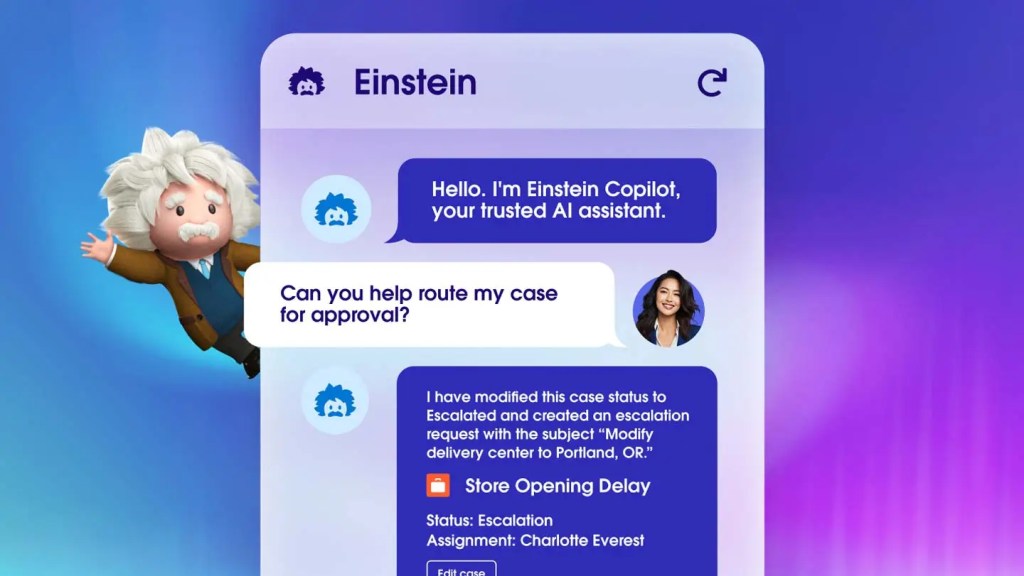
HubSpot has the most accessible AI features built in natively and is the easiest to connect to Zapier and ChatGPT for custom automations. It is the best choice for teams of under 50 people. Salesforce Einstein is more powerful for complex scoring and enterprise workflows but requires significant setup and often a Salesforce admin. If you are building custom AI workflows with Zapier, either platform works — the key is that your CRM data is clean and consistently entered before you layer AI on top of it.
How do I keep AI-generated emails from sounding like AI?
Three techniques: (1) Train the AI on your best-performing emails rather than asking it to write from scratch. Paste your 5 best emails and say 'write in this style.' (2) Always include a genuinely specific, company-relevant hook that requires real research — AI cannot fake this and reps need to add it manually. (3) Remove any sentence that could appear in every company's emails: 'I hope this finds you well,' 'I wanted to reach out,' 'I thought this might be relevant.' These are AI tells. Every sentence should earn its place.
How long does it take to set up a meaningful CRM automation?
A basic lead routing and follow-up sequence can be set up in a day in HubSpot. A proper lead scoring model with enrichment takes 1-2 weeks to build and 1-2 months to calibrate with real data. A full pipeline health and churn risk system takes 1-2 months to build correctly. Start with the highest-ROI, lowest-complexity automation (usually: automated follow-up sequence for inbound demo requests) and get value before adding complexity.
What is the biggest risk of over-automating CRM?
Losing the human relationship signal. When every touchpoint is automated, customers start to feel like they are talking to a system rather than a company. The automations that work best handle the logistics (reminders, data entry, scheduling) while humans handle the relationship moments (responding to concerns, negotiating, building trust at key decision points). A good rule: never automate a touchpoint where a human response would create meaningfully more trust than an automated one.

Coda One Tools for This Scenario

Try AI Summarizer

Condense long articles, papers, and reports into clear, concise summaries in seconds.

Try Free

Try AI Rewriter

Rewrite and improve any text while preserving meaning and adding a human touch.

Try Free
crmsales automationlead scoringhubspotsalesforcesalescustomer success
Was this helpful?

Get More Scenarios Like This

New AI guides, top tools, and prompt templates — curated weekly.