Skip to content
Intermediate 3-4 hours 6 Steps

Create Training Materials with AI — Guides, Videos & Quizzes

Creating professional training materials used to require instructional designers, video editors, and weeks of production time. AI has collapsed this pipeline. You can now go from a knowledge dump to a...

What You'll Build

6
Steps
3-4h
Time
4
Tools
5
Prompts
Difficulty Intermediate
Best for
traininghrlearning developmentinstructional design

Step-by-Step Guide

Follow this 6-step workflow to complete in about 3-4 hours.

Define LearningWrite theGenerate theBuild thePolish YourCreate the
1

Define Learning Objectives and Course Structure

Training fails when learners finish a module and cannot apply what they learned. The fix is starting with clear, behavioral learning objectives — not topic lists. A learning objective is not 'understand our refund policy.' It is 'process a customer refund request without supervisor approval in under 3 minutes.' AI helps you write objectives in this format and structure a curriculum that actually builds competency.

Prompt Template
Help me design the structure for a training course. I need clear learning objectives and a logical curriculum outline. **Course context:** - Topic / skill being taught: [e.g., 'How to handle customer complaints' / 'Using our CRM system' / 'Food safety procedures' / 'How to give effective performance feedback'] - Target audience: [who will take this training — role, experience level, existing knowledge] - How training will be delivered: [e.g., self-paced online module / live workshop / video + quiz / printed guide + manager debrief] - Time available for the full training: [e.g., 30 minutes / 2 hours / half-day] - Why this training exists right now: [e.g., new compliance requirement / high error rate in this process / onboarding new staff / rolling out new tool] **Current knowledge state of learners:** - What they already know: [brief note] - What they consistently get wrong: [the actual problem you are trying to fix] - Any misconceptions they commonly have: [optional] **Success definition:** - After completing this training, what should a learner be able to DO (not just know): [describe the observable behavior change] - How will we know training worked: [e.g., assessment score above 80% / zero incidents in 30 days / faster task completion time] Please produce: 1. **5-7 behavioral learning objectives** in the format: 'By the end of this training, learners will be able to [ACTION VERB] [SPECIFIC TASK] [UNDER WHAT CONDITIONS or TO WHAT STANDARD]' - Use Bloom's Taxonomy action verbs appropriate to the level (apply, demonstrate, calculate, explain — not 'understand' or 'know') 2. **Module outline** — break the training into 3-6 logical modules with: - Module title - Learning objectives it covers - Key content points (3-5 per module) - Estimated time - Suggested format (video, reading, practice exercise, quiz) 3. **Learning path logic** — explain why modules are in this order and what each one builds on 4. **One thing to cut** — if I have to trim 30% of content, what should go first and why
Tip: Fewer learning objectives is almost always better. Three objectives that learners master is worth more than eight objectives they vaguely remember. If you cannot decide what to cut, ask: 'If a learner forgets everything else but remembers one thing from this training, what should it be?' That is your core objective. Build everything else around it.
2

Write the Training Guide Content

With your structure locked, now write the actual training content. This is where most training projects stall — writing is slow, subject matter experts are not writers, and draft-review cycles take forever. AI drafts complete, well-structured training content from your notes and expertise in minutes. Your job is to add the real-world examples and organizational specifics that make it accurate.

Prompt Template
Write a complete training guide for the following module. I will give you the content points and context; you write it in a clear, engaging training style. **Module details:** - Module title: [e.g., 'How to De-escalate an Angry Customer'] - Target audience: [role and experience level] - Learning objectives this module covers: [list the 1-3 objectives from your outline] - Time learner will spend on this module: [e.g., 15 minutes] - Format: [self-paced reading / trainer-led / video script source material] **Content I want covered:** [Paste your raw notes, bullet points, existing documentation, process steps, or whatever you have. Even rough notes work — the AI will organize and expand them.] **Examples and context to include:** - Real scenario or example: [describe a realistic situation from your workplace] - Common mistake to highlight: [what people get wrong and what to do instead] - Company-specific detail: [anything that makes this specific to your organization] **Writing style:** - Tone: [e.g., professional but conversational / direct and no-nonsense / warm and supportive] - Reading level: [e.g., accessible to non-native English speakers / standard business level] - Format: [continuous prose / numbered steps / a mix of both] Please write a complete training guide section that includes: 1. A brief intro that explains WHY this matters (what goes wrong when people skip this) 2. The main content, organized logically with clear headers 3. At least one realistic example or scenario that illustrates the key points 4. A 'Common Mistakes' section that names the 3 most frequent errors and how to avoid them 5. A 'Key Takeaways' box — 3-4 bullet points summarizing the most important things to remember 6. A 'Check Your Understanding' section with 2-3 reflection questions (not a formal quiz — just prompts to help learners consolidate) Do not write generic filler. Every sentence should either teach something specific, illustrate a point, or help the learner retain what they just read.
Tip: The most memorable training content has a villain: it names the specific problem, mistake, or failure mode the learner is trying to avoid. 'Here is what happens when you skip the verification step — we had a customer dispute that cost $4,000 and took 6 weeks to resolve' is 10 times more memorable than 'it is important to follow the verification step.' Make the cost of not learning visceral.
3

Generate the Video Script

Video is the most effective format for process training, but writing a good video script is a distinct skill. It needs to be conversational (not read like a textbook), broken into visual moments, and paced for a speaker who is not a professional presenter. AI writes full video scripts that feel natural when spoken aloud — ready to record with Synthesia or any screen recording tool.

Prompt Template
Write a complete video script for a training video based on this content. The video will be [X minutes] long. **Video details:** - Topic: [what the video covers] - Target audience: [who will watch this] - Key message: [the single most important thing viewers should take away] - Video format: [talking head presenter / screen recording with voiceover / animated explainer / AI avatar via Synthesia] - Tone: [formal / conversational / energetic / calm and reassuring] **Content to cover:** [Paste the training guide content from the previous step, or describe what needs to be in the video] **Script format requirements:** - Total word count target: [a 3-minute video needs approximately 450 words; 5 minutes = 750 words; 10 minutes = 1,500 words] - Designed for a non-professional speaker — no complex sentences that are hard to deliver naturally - Include visual cues and on-screen text suggestions in [BRACKETS] throughout Write the script with this structure: **HOOK (first 15 seconds):** Start with the problem or scenario, not a welcome. 'By the end of last year, we had 47 complaints about incorrect refunds. Every single one of them came from skipping one step.' This is more compelling than 'Welcome to our refund processing training.' **MAIN CONTENT (middle 70%):** Break into 2-4 clear segments. Each segment should: - Start with a clear transition sentence - Cover one main point - Include one concrete example or demonstration - Have a visual suggestion [e.g., SHOW: screen recording of the system / SHOW: checklist graphic] **CLOSE (last 15%):** Summarize the 3 key points (not everything, just the 3 most important), tell viewers what to do next, and end with a sentence that motivates them rather than just 'that is all for today.' Also provide: - Suggested B-roll or visual moments that would enhance each section - Speaker notes for any statistics, steps, or information that should be double-checked before recording
Tip: Record a rough test read of your script before final production. Sentences that look fine in text often feel unnatural when spoken aloud. If you stumble on a sentence twice while reading it, rewrite it. Scripts should pass the 'one-breath test': most sentences should be deliverable in a single breath without rushing.
4

Build the Slide Deck in Gamma

If your training includes a presentation component — live facilitation, a webinar, or a standalone visual reference — turn your guide content into a slide deck. Gamma generates complete, visually polished decks from text, which you can customize without fighting PowerPoint formatting.

Prompt Template
Create a training slide deck outline and content for the following training module. I will use this to generate slides in Gamma (paste the content into Gamma's AI generation tool). **Slide deck details:** - Module topic: [topic] - Number of slides target: [e.g., 12-15 slides] - Presentation context: [live facilitation / self-paced learner views slides alone / follows along with video] - Duration when presented live: [X minutes] **Content to cover:** [Paste your training guide content here] Create a complete slide-by-slide outline following these rules: **Slide structure rules:** - One key idea per slide — never try to fit two points on one slide - Title should be a statement or question, not a topic label ('Refunds take 2 clicks — here is why people still get it wrong' not 'Refund Process Overview') - Body content: 3-5 bullet points maximum, each under 10 words - Presenter notes: full sentences the facilitator says while showing this slide (this is where the detail lives, not on the slide itself) - Visual suggestion: what image, diagram, chart, or icon would reinforce this slide For each slide, provide: - Slide number - Slide title - Bullet points (3-5, max 10 words each) - Presenter note (2-4 full sentences) - Visual suggestion Special slides to include: - Opening slide: a compelling question or statistic that sets up why this matters - Scenario slide: a realistic workplace example learners can discuss or reflect on - Common mistakes slide: the 3 mistakes people make, presented visually - Summary slide: the 3 takeaways in a memorable format - Next steps slide: exactly what learners do after this training Format the output so I can paste it directly into Gamma's 'Generate from outline' feature.
Tip: In Gamma, use the 'Generate from text' option and paste your full outline. Gamma builds the deck, then you refine it. The biggest time saver is accepting Gamma's initial layout for structure and only customizing slides that need company-specific branding or images. Do not redesign from scratch — edit the 20% that needs adjustment.
5

Polish Your Business Documents

Business communications need to be professional and error-free. Give your AI-generated drafts a final review.

Tip: For documents going to investors or clients, run through both Humanizer and Grammar Check.
6

Create the Assessment Quiz

A quiz that only tests whether someone read the material is not useful. A good training assessment tests whether someone can apply what they learned — in realistic scenarios, under the conditions they will face at work. AI generates scenario-based questions that distinguish people who understood the training from people who just clicked through it.

Prompt Template
Create a comprehensive assessment quiz for this training module. The quiz should test application of knowledge, not just memorization. **Training context:** - Module topic: [topic] - Learning objectives this quiz tests: [list the objectives] - Passing score target: [e.g., 80%] - Quiz format: [multiple choice only / multiple choice + short answer / multiple choice + scenario questions] - Consequences of failing: [e.g., retake training / flag for manager review / just for self-assessment, no consequences] **Content the quiz covers:** [Paste your training guide content, or describe the key topics] Generate: 1. **10 multiple choice questions** that test application, not memorization: - At least 4 questions should be scenario-based ('A customer calls and says... What should you do first?') - Each question should have 4 answer choices - Wrong answers should be plausible — not obviously wrong - Include the correct answer and a brief explanation of WHY it is correct (for learner feedback) - Avoid questions that can be answered by finding a keyword in the training document 2. **2 scenario questions** (short answer, 2-3 sentences expected): - Present a realistic workplace situation - Ask what the learner would do and why - Provide a model answer / grading rubric for whoever is evaluating responses 3. **1 reflection question** (open-ended, no right/wrong answer): - 'What is one thing from this training that changes how you will handle [specific situation]?' - This is for learning consolidation, not grading 4. **Question difficulty distribution:** - 3 questions: foundational (recall the core rule or process) - 5 questions: application (apply the rule to a new situation) - 2 questions: analysis (figure out what went wrong in a scenario) 5. **Distractor analysis** — for your 3 hardest questions, explain what misconception each wrong answer represents, so facilitators know what to address if learners choose it frequently
Tip: Share the quiz questions with a subject matter expert BEFORE they create the training, not after. Ask them to answer the quiz questions first — this forces them to identify the most important knowledge and common misconceptions, which should then drive what gets emphasized in the training content. Build the test first, then build the training to teach what the test measures.

Recommended Tools for This Scenario

MCP Servers for This Scenario

Browse all MCP servers →

Frequently Asked Questions

What AI tools are best for different parts of training material creation?
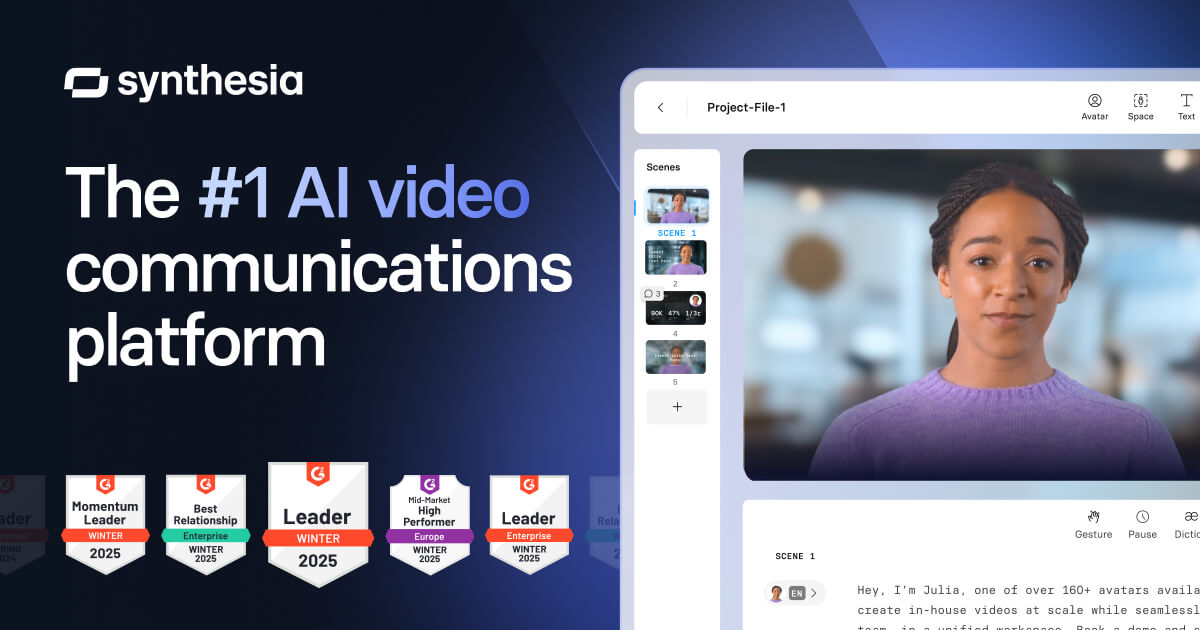
For writing content (guides, scripts, quiz questions): Claude and ChatGPT are both excellent, with Claude generally stronger for longer, more nuanced documents. For slide decks: Gamma generates polished decks from text faster than any other tool. For AI avatar videos without filming anyone: Synthesia lets you create professional training videos with a virtual presenter from a text script. For visuals and graphics: Canva has an AI image generation and design tool that integrates with slides and documents. For full video production with screen recording: Loom or Camtasia if you have a human presenter. The fastest end-to-end workflow is: ChatGPT for content and script, Gamma for slides, Synthesia for the video.
How long should a training video be?
As short as possible while covering all essential content. Research on video learning consistently shows engagement drops sharply after 6 minutes for self-paced training videos. The practical recommendation: aim for 3-6 minutes per module, and break longer content into multiple short videos rather than one long one. If you have 30 minutes of content, make five 6-minute videos with a quiz after each one. Learners who can rewatch specific short videos when they need to remember something are better trained than learners who watched one 30-minute video once.
How do I make sure AI-generated training content is accurate?
Never publish AI-generated training content without a subject matter expert review, especially for compliance training, technical procedures, or anything with legal or safety implications. The workflow should be: AI drafts, SME reviews for accuracy and adds company-specific context, you edit for clarity and flow, legal/compliance reviews if required. AI is extremely good at structure, clarity, and writing style. It is unreliable for company-specific processes, industry regulations, and nuanced judgment calls. Mark anything AI cannot verify — steps in your specific system, regulatory requirements, internal policies — as items for SME review before the content goes live.
Can I use AI-generated training videos commercially with Synthesia?
Yes — Synthesia is explicitly designed for commercial training and eLearning use. Your generated videos are yours to use internally or with clients. Check your plan level for any restrictions on the number of videos or minutes. The main limitation to know: AI avatars and voices are immediately recognizable as artificial to most viewers, which works well for internal training but may feel impersonal for high-stakes customer-facing training where authenticity matters. For training your own employees, AI avatars work excellently. For training your customers or representing your executive leadership, consider a human presenter with AI-assisted editing instead.

Coda One Tools for This Scenario

Try AI Rewriter

Rewrite and improve any text while preserving meaning and adding a human touch.

Try Free

Try AI Grammar Checker

Find and fix grammar, spelling, and punctuation errors with detailed explanations.

Try Free

Try AI Essay Writer

Generate well-structured argumentative, narrative, expository, and persuasive essays.

Try Free

Try AI Summarizer

Condense long articles, papers, and reports into clear, concise summaries in seconds.

Try Free
traininghrlearning developmentinstructional designvideo creationemployee trainingquiz
Was this helpful?

Get More Scenarios Like This

New AI guides, top tools, and prompt templates — curated weekly.