
Miro AI
By Coda One Team · Last verified: March 2026
Disclosure: Some links earn us a commission at no extra cost to you. Rankings are independent — tools cannot pay for placement.
Collaborative visual workspace with AI-powered diagramming and ideation
What is Miro AI?
Miro is the dominant collaborative whiteboard platform, used by over 40,000 organizations including Uber, Netflix, Salesforce, and Dell. With an estimated 25 million monthly visitors, it has become the standard for visual collaboration, strategic planning, and design thinking across distributed teams.
Miro AI enhances the platform with intelligent features that accelerate visual work. AI Sidekicks can generate diagrams, mind maps, and flowcharts from text descriptions. The AI can cluster sticky notes into themes, summarize board content, expand on ideas, and even generate images. This transforms brainstorming sessions from chaotic sticky-note dumps into structured, actionable outputs.
The platform offers hundreds of built-in templates for frameworks like design sprints, retrospectives, customer journey maps, and SWOT analyses. The infinite canvas supports real-time collaboration with cursors visible across participants, making remote workshops feel nearly as dynamic as in-person sessions.
Miro integrates deeply with development tools (Jira, Azure DevOps), design tools (Figma, Adobe), and communication platforms (Slack, Teams, Zoom). The Miro Developer Platform provides REST APIs and SDKs for building custom apps and integrations.
The Intelligent Canvas, Miro's latest evolution, brings product development tools directly onto the board, including cards, lists, and workflows, blurring the line between whiteboarding and project management. Enterprise features include SSO, SCIM provisioning, data governance, and ISO 27001 certification.
Key Features
Pros & Cons
Pros
- ✓ Industry-standard visual collaboration tool with massive adoption
- ✓ AI features meaningfully accelerate brainstorming and diagramming
- ✓ Infinite canvas scales from quick sketches to complex system maps
- ✓ Rich template library covers virtually every business framework
Cons
- ✗ Free tier limited to 3 editable boards
- ✗ AI credits limited on lower tiers
- ✗ Can feel sluggish with very large boards containing thousands of objects
Ready to try Miro AI?
See if it fits your workflow — free plan available.
Pricing
Free with 10 AI credits, $8/member Starter, $20/member Business
Free
$0
- ✓3 editable boards
- ✓10 AI credits
- ✓Unlimited viewers
- ✓Core integrations
- ✓Basic templates
Starter
$8/member/mo
- ✓Unlimited boards
- ✓Private boards
- ✓1-day version history
- ✓Custom templates
- ✓Voting and timer
Business
$20/member/mo
- ✓Unlimited AI credits
- ✓Smart diagramming
- ✓Guest access management
- ✓SSO
- ✓Advanced analytics
Enterprise
Custom
- ✓Data governance
- ✓SCIM provisioning
- ✓Managed content
- ✓IP allowlisting
- ✓Premium support
Pay with crypto using a virtual Visa card
Humanize AI content from Miro AI
Transform AI-generated text into natural, human-sounding writing that bypasses detection tools.
Try FreeWho is Miro AI for?
Remote design sprints and brainstorming workshops
System architecture and technical diagramming
Agile retrospectives and sprint planning
Customer journey mapping and user research synthesis
Strategic planning and roadmap visualization
Frequently Asked Questions
Is Miro AI free?
Miro AI offers a free tier with limited features. Free with 10 AI credits, $8/member Starter, $20/member Business Paid plans unlock additional capabilities.
What are Miro AI's key features?
Miro AI's standout features include AI-powered diagram and mind map generation from text, Infinite canvas with real-time multi-user collaboration, Hundreds of built-in frameworks and templates, AI clustering and summarization of sticky notes. It offers 8 features in total designed for remote design sprints and brainstorming workshops.
Can I pay for Miro AI with cryptocurrency?
Miro AI does not currently accept cryptocurrency directly. However, you can pay with crypto using a virtual Visa card funded by USDT, USDC, or other stablecoins.
What are the best alternatives to Miro AI?
Popular alternatives to Miro AI include Airtable AI, Asana AI, ClickUp AI. Each offers different strengths in pricing, features, and specialization.
Does Miro AI have an API?
Yes, Miro AI offers an API. The API uses a usage-based pricing model.
Do I need to sign up to use Miro AI?
Miro AI requires an account to access most features. If you prefer no-signup tools, browse Coda One's free tools.
Does Miro AI work on mobile?
Miro AI works in any modern browser on desktop, tablet, and mobile — no install required. For offline or on-device workflows, check our tool catalog for alternatives.
Is my data safe with Miro AI?
Review Miro AI's privacy policy at https://miro.com for specifics on data retention. For browser-local processing (no server upload), see Coda One's PDF and image tools.
What pricing plans does Miro AI offer?
Miro AI offers 4 plans: Free, Starter, Business, and more. Starts at Free. Compare with Coda One's own pricing.
Can I cancel or get a refund from Miro AI?
Cancellation and refund policies are set by Miro AI — check their terms at https://miro.com. Coda One's own paid plans can be cancelled anytime from your subscription dashboard.
How can I pay for Miro AI with USDT or USDC?
Since Miro AI does not take crypto directly, the practical route is a Coda One virtual Visa card funded by USDT/USDC, which works anywhere Visa is accepted.
Who is Miro AI best for?
Miro AI is most useful for Remote design sprints and brainstorming workshops, System architecture and technical diagramming, Agile retrospectives and sprint planning. For related workflows, explore Coda One's AI tool catalog.
Use Miro AI for…
Step-by-step guides featuring Miro AI with prompts you can copy and use right away.
AI Brainstorming Partner — Generate Better Ideas Faster
Brainstorming alone is limited by your own mental models and experience. Brainstorming with a room full of people gets bogged down in politics, groupthink, and the loudest voice winning. AI as a brainstorming partner gives you the best of both: a tireless collaborator who can generate hundreds of ideas, challenge your assumptions, play devil's advocate, explore angles you'd never think of, and do all of this without judgment or social dynamics getting in the way. This workflow covers how to use AI for idea generation, concept development, and turning raw ideas into actionable next steps.
Build a Business Model Canvas with AI
The Business Model Canvas is one of the most powerful strategy tools ever created — but most people fill it out quickly in a workshop and never revisit it. This guide uses AI to build a rigorous, research-backed Business Model Canvas: one that challenges your assumptions, identifies the weakest blocks, stress-tests your revenue model, and produces a living document you actually use for decisions. Whether you are a startup, a new product team, or rethinking an existing business, this approach turns the canvas from a poster into a real strategy tool.
Related Tools
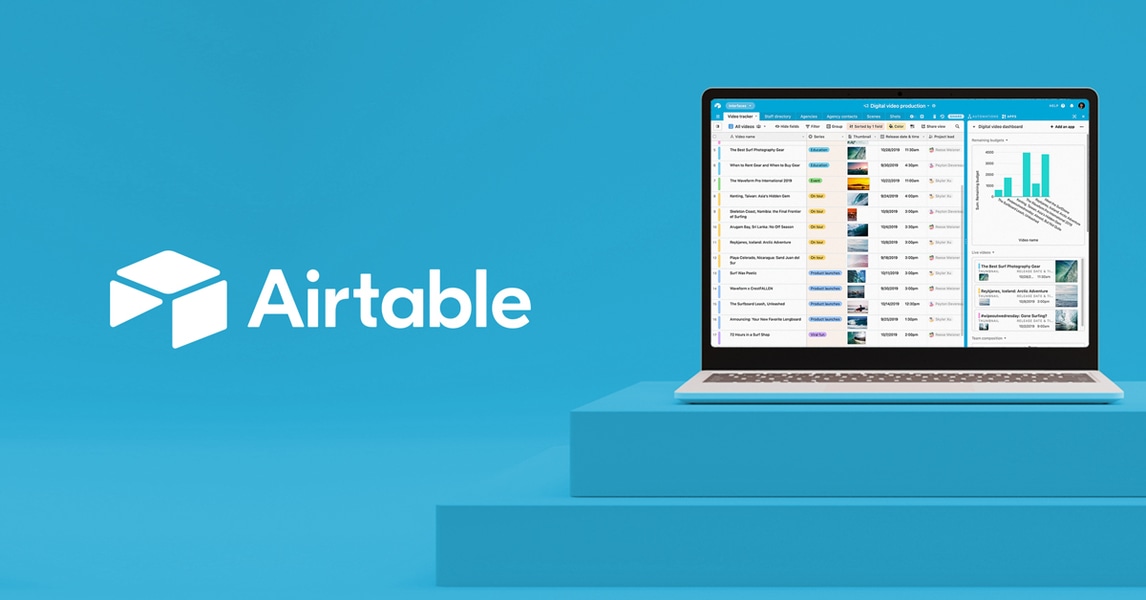
Airtable AI
AI-enhanced relational database with the simplicity of a spreadsheet
- AI-powered field generation and natural language queries
- Relational database with linked records and lookups
- Interface Designer for custom apps and dashboards
Asana AI
Enterprise project management with built-in AI and workflow automation
- AI-generated status updates and project summaries
- AI Studio for custom AI-powered automations
- Portfolios for cross-project executive visibility
ClickUp AI
All-in-one project management platform with ClickUp Brain AI
- ClickUp Brain AI for writing, summarization, and search
- 15+ project views including Gantt, Board, and Timeline
- Built-in docs with real-time collaboration
Fireflies.ai
AI meeting transcription and search across 100+ languages
- Automatic meeting recording and transcription in 100+ languages
- AI-generated summaries with action items and decisions
- AskFred AI chatbot for querying meeting history
Discover More AI Tools
Weekly curated tools, scenarios, and MCP server updates.
Disclosure: Some links on this page may be affiliate links. We may earn a commission if you make a purchase through these links, at no additional cost to you. This helps support Coda One.