v0 by Vercel
By Coda One Team · Last verified: March 2026
Disclosure: Some links earn us a commission at no extra cost to you. Rankings are independent — tools cannot pay for placement.
AI UI generator that creates production-ready React components from prompts
What is v0 by Vercel?
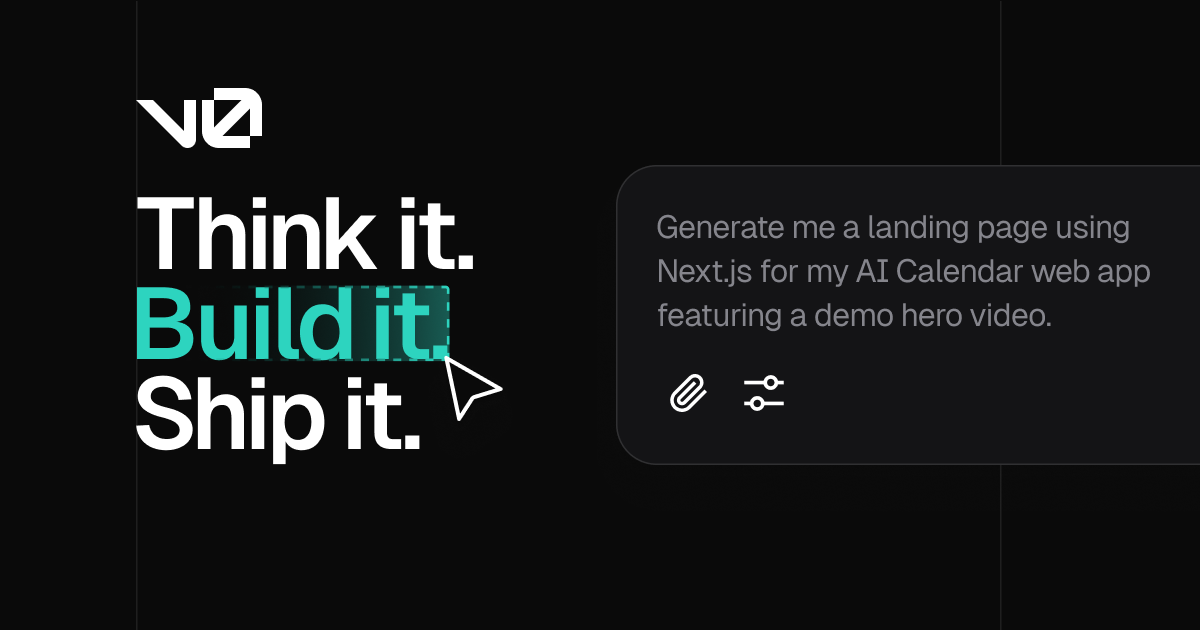
v0 is Vercel's AI-powered UI generation tool that creates production-ready React and Next.js components from natural language descriptions or images. It generates code using the popular shadcn/ui component library and Tailwind CSS, producing clean, accessible, and visually polished interfaces that can be directly integrated into production applications without significant rework.
What distinguishes v0 from general-purpose code generators is its singular focus on UI quality. The generated components follow modern React patterns, use proper TypeScript types, implement responsive design across breakpoints, and include ARIA accessibility attributes. Each generation produces a live interactive preview that can be iterated upon through follow-up prompts, allowing rapid visual refinement until the output matches the developer's vision.
v0 supports generating entire pages, individual components, forms, dashboards, navigation systems, and complex multi-section layouts. It can interpret design mockups and screenshots to faithfully reproduce UIs in code. The output integrates seamlessly with the Next.js and Vercel ecosystem, enabling one-click deployment from v0 to a live Vercel URL for immediate sharing and testing.
With over 3.5 million monthly visits, v0 has become the go-to tool for frontend developers and designers who want to accelerate UI development. Its deep integration with shadcn/ui means generated components are customizable, theme-able, and follow established design system conventions rather than producing throwaway or disposable prototype code.
Key Features
Pros & Cons
Pros
- ✓ Highest UI quality among AI code generators
- ✓ Production-ready output with proper TypeScript and accessibility
- ✓ Seamless Vercel/Next.js ecosystem integration
- ✓ shadcn/ui output is customizable and theme-able
Cons
- ✗ Limited to React/Next.js ecosystem
- ✗ Free tier generation limits are restrictive
- ✗ Less suitable for backend or full-stack generation
Ready to try v0 by Vercel?
See if it fits your workflow — free plan available.
Video Tutorials
How To Use v0 by Vercel For Beginners
corbin
Pricing
Free tier with limited generations, Premium at $20/mo with higher limits
Free
$0
- ✓Limited generations per day
- ✓React/Next.js output
- ✓shadcn/ui components
- ✓Live preview
Premium
$20/mo
- ✓Higher generation limits
- ✓Faster processing
- ✓Image-to-code
- ✓Priority access
- ✓Advanced iterations
Pay with crypto using a virtual Visa card
Humanize AI content from v0 by Vercel
Transform AI-generated text into natural, human-sounding writing that bypasses detection tools.
Try FreeWho is v0 by Vercel for?
Rapid UI prototyping and component development
Converting design mockups to React code
Building dashboards and admin interfaces
Creating landing pages and marketing components
Accelerating frontend development with production-ready output
Frequently Asked Questions
Is v0 by Vercel free?
v0 by Vercel offers a free tier with limited features. Free tier with limited generations, Premium at $20/mo with higher limits Paid plans unlock additional capabilities.
What are v0 by Vercel's key features?
v0 by Vercel's standout features include Production-ready React/Next.js component generation, shadcn/ui and Tailwind CSS output, Image and screenshot to code conversion, Live interactive preview for each generation. It offers 8 features in total designed for rapid ui prototyping and component development.
Can I pay for v0 by Vercel with cryptocurrency?
v0 by Vercel does not currently accept cryptocurrency directly. However, you can pay with crypto using a virtual Visa card funded by USDT, USDC, or other stablecoins.
What are the best alternatives to v0 by Vercel?
Popular alternatives to v0 by Vercel include Aider, Amazon Q Developer, Bolt.new. Each offers different strengths in pricing, features, and specialization.
Do I need to sign up to use v0 by Vercel?
v0 by Vercel requires an account to access most features. If you prefer no-signup tools, browse Coda One's free tools.
Does v0 by Vercel work on mobile?
v0 by Vercel works in any modern browser on desktop, tablet, and mobile — no install required. For offline or on-device workflows, check our tool catalog for alternatives.
Is my data safe with v0 by Vercel?
Review v0 by Vercel's privacy policy at https://v0.dev for specifics on data retention. For browser-local processing (no server upload), see Coda One's PDF and image tools.
What pricing plans does v0 by Vercel offer?
v0 by Vercel offers 2 plans: Free, Premium. Starts at Free. Compare with Coda One's own pricing.
Can I cancel or get a refund from v0 by Vercel?
Cancellation and refund policies are set by v0 by Vercel — check their terms at https://v0.dev. Coda One's own paid plans can be cancelled anytime from your subscription dashboard.
How can I pay for v0 by Vercel with USDT or USDC?
Since v0 by Vercel does not take crypto directly, the practical route is a Coda One virtual Visa card funded by USDT/USDC, which works anywhere Visa is accepted.
Who is v0 by Vercel best for?
v0 by Vercel is most useful for Rapid UI prototyping and component development, Converting design mockups to React code, Building dashboards and admin interfaces. For related workflows, explore Coda One's AI tool catalog.
Use v0 by Vercel for…
Step-by-step guides featuring v0 by Vercel with prompts you can copy and use right away.
Build a Portfolio Website with AI — No Coding Needed
A strong portfolio website is the most important asset a freelancer, designer, developer, or creative professional can have — but most people either have none, or one they built years ago and are embarrassed to share. AI-powered website builders like Lovable, Bolt, and v0 let you go from zero to a polished, deployed portfolio website in a single afternoon, by describing what you want in plain language. No code, no templates to fight with, no web designer needed.
Build Frontend UIs with AI — From Wireframe to Code
Frontend development has been transformed by AI — you can now go from a rough sketch or written description to working, styled component code in minutes. But knowing which tool to use when and how to describe your UI effectively is the difference between AI-generated code that's 90% done and code you have to rewrite from scratch. This guide covers the full frontend development workflow: generating initial UI, adding interactivity, making it responsive, polishing the details, and getting it deployed.
Related Tools

Aider
Open-source AI pair programming CLI with git-aware multi-file editing
- Git-aware automatic commits with descriptive messages
- Multi-model support (OpenAI, Anthropic, Google, Ollama)
- Architect/editor dual-model pattern for optimized results

Amazon Q Developer
AWS-integrated AI assistant for coding, debugging, and cloud operations
- Unlimited free code suggestions across 15+ languages
- Deep AWS service and API understanding
- Automated code transformation (Java upgrades, .NET migration)

Bolt.new
AI app builder with in-browser WebContainers for instant full-stack apps
- In-browser WebContainers for zero-latency development
- Full-stack app generation from natural language prompts
- Live preview with hot module replacement

Claude Code
Anthropic's agentic CLI for autonomous terminal-native coding workflows
- Terminal-native autonomous coding agent
- Full file system and shell access for multi-step tasks
- Deep codebase understanding via repository indexing
Discover More AI Tools
Weekly curated tools, scenarios, and MCP server updates.
Disclosure: Some links on this page may be affiliate links. We may earn a commission if you make a purchase through these links, at no additional cost to you. This helps support Coda One.